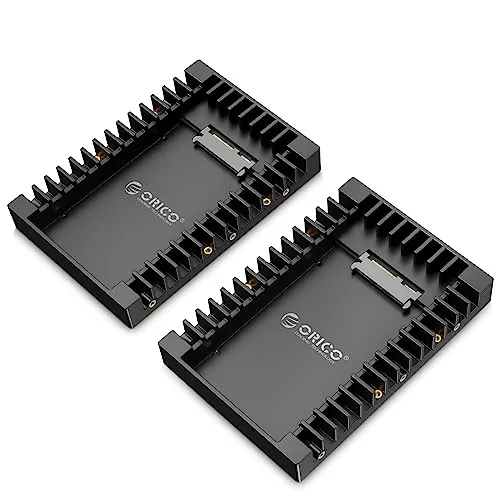
Is the ORICO 3.5" External Hard Drive Enclosure worth it?
For buyers who want a low-cost way to reuse a 3.5-inch SATA hard drive, it looks like a good value option. It scores well for setup, usability, connectivity, and value, and customer feedback is largely positive. The main caution is reliability, as some reviews mention failures or concerns about long-term dependability.
Is this enclosure good for recovering files from an old PC drive?
Yes, that appears to be one of its strongest uses. Reviews describe it working well for accessing files from older desktop drives, and the tool-free design makes setup straightforward. Its plug-and-play approach and external power supply are practical advantages when using desktop-class 3.5-inch HDDs.
How easy is the ORICO 3588C3 to set up?
Setup is one of its best areas. The enclosure has a 93 setup score and a 90 usability score, and the product details state that it is tool-free, plug and play, and does not need drivers or reboots. Reviews consistently describe the process as quick and simple.
Does it support large hard drives?
According to the provided product details, it supports 3.5-inch SATA hard drives up to 20TB. That makes it suitable for many high-capacity desktop HDDs, assuming the drive itself is compatible and the host device supports normal external storage use.
How fast is the ORICO enclosure?
The listed interface is USB 3.1 Type-C to SATA III with a stated maximum transfer rate of 5Gbps and UASP support. In customer feedback, one user reported around 150 MB/s read speeds and another saw transfers up to about 220 MB/s, though real-world speed will depend heavily on the drive used.
What are the main downsides of this hard drive enclosure?
The main downside is reliability. Its reliability score is only 62, and aggregated reviews mention mixed experiences including reports of drives stopping working or the enclosure failing. Some users also note a loose fit without foam padding and a power button that cuts power immediately.
Is the ORICO 3.5" enclosure compatible with Windows and Linux?
The supplied product information specifically says it is compatible with Windows and Linux. It also lists desktops, gaming consoles, laptops, and televisions among compatible devices, but broader platform behavior may vary by host device and storage formatting.
Is it good for everyday backup use?
It appears well suited to basic backup use. Reviews mention successful weekly backups and stable operation in longer sessions, and the enclosure's simple setup and external power design suit desktop HDDs. Buyers should still keep the mixed reliability feedback in mind for long-term use.