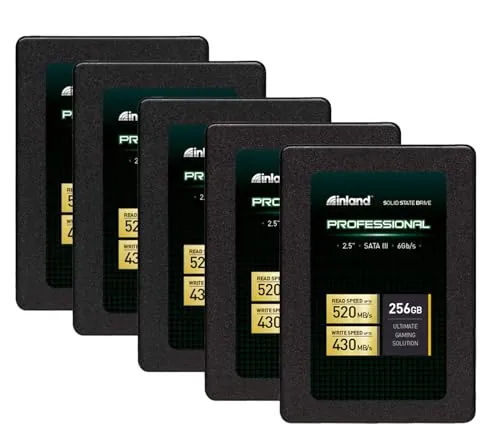
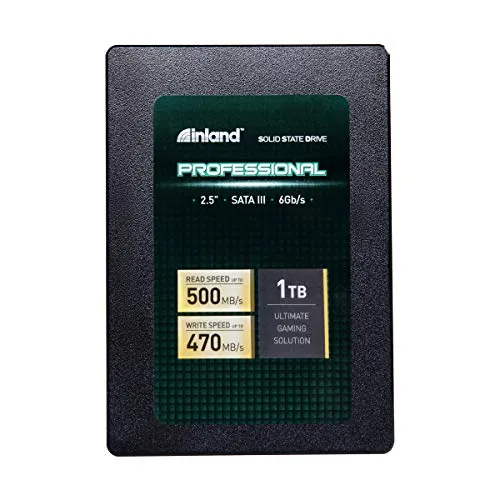
Is the INLAND Professional 120GB SSD worth buying?
With an overall score of 72, this is a reasonable value-led choice when 120GB is enough and a compatible SATA drive is required. Its strongest points are easy setup, power efficiency, customer satisfaction, and value. However, mixed reliability and compatibility feedback means it is best approached as a light-duty upgrade rather than a demanding work drive.
Is the INLAND Professional 120GB SSD good for upgrading an old laptop?
It appears well suited to compatible older laptops that use a 2.5-inch, 7mm SATA drive. The supplied specifications list SATA III connectivity, while customer feedback frequently mentions faster startup and a noticeable improvement over hard drives. Before ordering, confirm the laptop accepts a 2.5-inch SATA drive and that 120GB provides enough usable storage.
How fast is the INLAND Professional 120GB SSD?
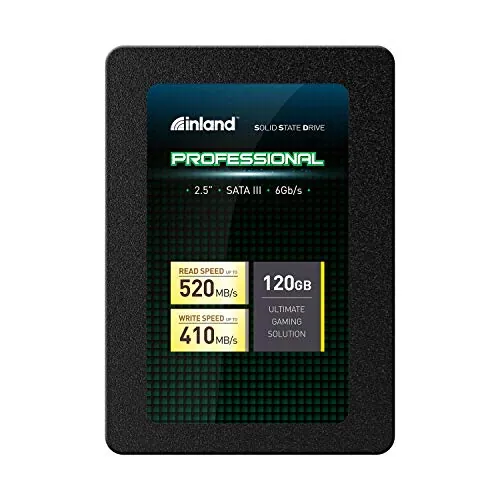
INLAND lists sequential read speeds up to 520MB/s and sequential write speeds up to 410MB/s, alongside up to 38K/80K 4K random read/write IOPS. The speed score is 79, indicating solid SATA-class performance. Actual results can vary with the host system, configuration, and workload, as the product information notes.
What are the main limitations of the INLAND Professional 120GB SSD?
The main constraint is its 120GB capacity, which can fill quickly after an operating-system installation, applications, updates, and personal files. Reliability has a 64 score, and customer feedback includes reports of early failure and freezing. There are also mixed reports of Windows 10 recognition, so compatibility and backups deserve attention.
Is the INLAND Professional 120GB SSD suitable for gaming?
The product is marketed for gaming use, and its SATA performance can improve load and boot behavior compared with a hard drive. Still, 120GB is a limited capacity for modern game installations. Review evidence also suggests avoiding sustained write-heavy workloads, so buyers with large libraries or demanding storage needs should consider a larger-capacity option.
Is the INLAND Professional 120GB SSD easy to install?
Setup is one of the product's stronger areas, with an 83 setup score and an 82 usability score. Customer feedback includes reports that it was easy to connect and worked well as an operating-system boot drive. Installation still depends on having a compatible 2.5-inch SATA bay or adapter and completing any required operating-system migration or installation.
Does the INLAND Professional 120GB SSD have reliability concerns?
There is both positive and cautionary evidence. Some customers report drives operating for months or years, while the aggregated review summary and individual reviews also mention failures within a few months, freezes, and isolated file-loss concerns. Its 64 reliability score supports treating regular backups as essential, particularly for important files.
What warranty comes with the INLAND Professional 120GB SSD?
The supplied product details state a three-year limited parts-and-labor warranty. That provides a defined coverage period, but the available information does not explain the claim process, exclusions, turnaround times, or support experience. Buyers should review the current warranty terms and retailer return policy before purchase.