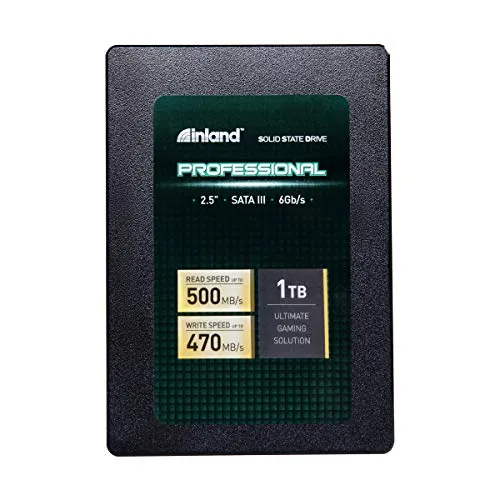
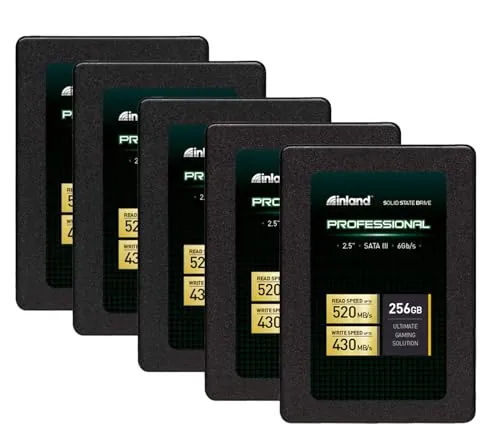
Is the INLAND Professional 256GB SSD 5 Pack worth buying?
It appears to be a good-value option when several compatible PCs need basic SATA storage. Its 86/100 value score, 4.6/5 Amazon rating from 4,669 reviews, and feedback about easier upgrades support that case. However, reported early failures and recognition issues mean it is sensible to keep backups and avoid treating it as a premium reliability choice.
Is this INLAND SSD good for upgrading an old laptop?
For a laptop with a compatible 2.5-inch SATA bay, this drive is well suited to a basic hard-drive replacement. It is rated for up to 520MB/s sequential reads and customers often report faster boots and application launches. Confirm the laptop’s drive interface, physical bay requirements, and operating-system installation plan before purchasing.
What are the main limitations of the INLAND Professional 256GB SSD?
The main limits are capacity, SATA-level speed, and mixed reliability feedback. Each drive has 256GB, which may not leave much room for large files after an operating system and applications are installed. Some reviews also cite early failure, freezes, or Windows 10 detection problems, while heavy write workloads are not its clearest use case.
Is the INLAND Professional SSD fast enough for an operating-system drive?
Its quoted maximum sequential speeds of 520MB/s read and 430MB/s write are appropriate for an everyday SATA operating-system drive. Customer feedback commonly notes improved startup and responsiveness compared with older mechanical disks. It is not presented as a high-end drive for sustained professional workloads, but it should suit light-to-moderate PC use.
Is the INLAND Professional 256GB 5 Pack easy to install?
The 84/100 setup score and customer comments point to generally straightforward installation in compatible desktop and laptop systems. These are internal 2.5-inch SATA drives, so the host device needs the appropriate bay and SATA connection. Some users report Windows recognition problems, so checking connections and confirming drive detection during setup remains important.
Can this SSD be used for gaming or creative work?
The listing describes the drives for personal, gaming, and business use, but the review evidence is more confident about everyday and light-to-moderate workloads. For basic game storage or general use it may be adequate, subject to the 256GB capacity. For frequent large transfers, video editing, or other sustained writes, reviews suggest choosing a more performance-focused drive.
How reliable is the INLAND Professional 256GB SSD?
Reliability is mixed rather than uniformly poor or uniformly proven. The 72/100 reliability score reflects reports of drives lasting in repeated deployments and longer-term individual use, alongside reports of early failures and freezes. A three-year limited warranty is listed, but important files should still be backed up, particularly in multi-drive or business deployments.
Does the INLAND Professional SSD have a warranty?
The supplied product details state a three-year limited parts-and-labor warranty. That adds some replacement coverage, but the available information does not provide the complete claim process, exclusions, or support experience. Buyers should review the current warranty terms and retain purchase documentation, especially when buying a five-drive pack for multiple installations.