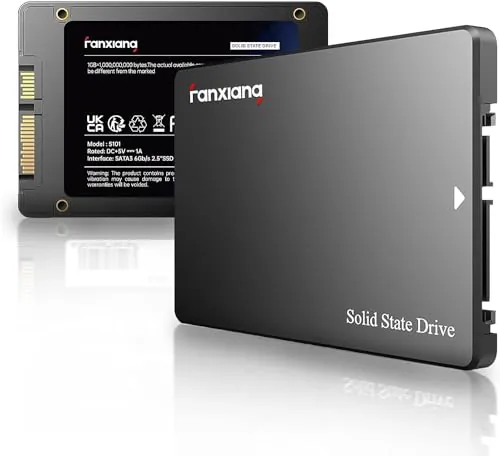
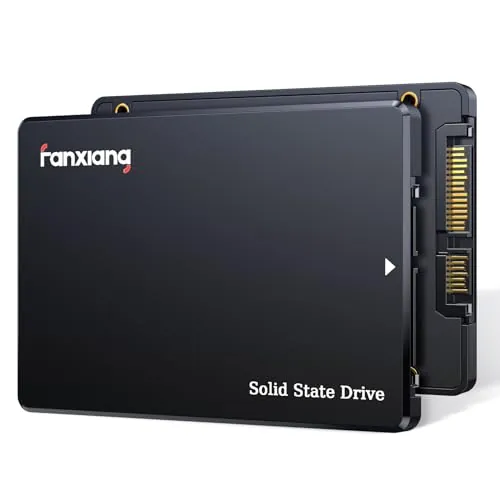
#1 Overall Winner
fanxiang S101 1TB SATA SSD
- 1TB of SATA storage in a standard 2.5-inch form factor.
Comparison
The fanxiang S101 1TB and S101Q 4TB are 2.5-inch SATA SSDs intended to replace slower hard drives in compatible computers. The S101 is the stronger overall, speed, and value choice in the supplied scores, while the S101Q is the capacity-led option with 4TB and a broader stated feature set. Reliability feedback is mixed for both, with added caution warranted around the S101Q 4TB review reports.
#1 Overall Winner
Contender
Choose the S101 1TB for the more balanced SATA upgrade, higher listed speed, and stronger value assessment. Choose the S101Q 4TB if you need substantially more storage and accept that the supplied 4TB feedback calls for extra capacity and stability checks.
Overall winner
Depends on your needs
| Feature | fanxiang S101 1TB SATA SSD | fanxiang S101Q 4TB SATA SSD | Winner |
|---|---|---|---|
| Capacity | 1TB | 4TB | fanxiang S101Q 4TB SATA SSD |
| Listed maximum read speed | Up to 550MB/s | Up to 500MB/s | fanxiang S101 1TB SATA SSD |
| Listed write speed | 520MB/s stated in details | Up to 470MB/s | fanxiang S101 1TB SATA SSD |
| Flash and cache details | 3D NAND TLC | 3D NAND with stated SLC cache | Depends |
| Overall score | 72 | 69 | fanxiang S101 1TB SATA SSD |
| Usability and setup | Usability 80; setup 78 | Usability 86; setup 88 | fanxiang S101Q 4TB SATA SSD |
| Compatibility | Compatibility score 58 | Compatibility score 85 | fanxiang S101Q 4TB SATA SSD |
| Value | Value score 85 | Value score 77 | fanxiang S101 1TB SATA SSD |
| Reliability feedback | Mixed; failures and recognition issues reported | Mixed; 4TB complaint alleges capacity and stability issues | Depends |
| Warranty and service | 3-year service; lifetime technical support | 3-year service; lifetime technical support | Tie |
The S101 has the advantage in the supplied performance and speed scores and is listed with faster peak read performance. Reviews for it describe noticeably faster boots, responsive applications, and quicker large-file transfers after replacing an HDD. The S101Q is still positioned as a clear HDD upgrade, and reviewers describe fast results in older systems, but its lower performance score and reported 4TB stability concerns make it the less certain performance choice for important workloads.
The S101 wins on stated peak speed: its supplied information lists up to 550MB/s read and 520MB/s write, compared with up to 500MB/s read and 470MB/s write for the S101Q. It also has the stronger speed score. Either drive should feel much faster than an HDD in a compatible system, but the S101 is the more logical pick when peak SATA transfer performance is the priority.
Neither drive has unqualified reliability feedback. For the S101, reviewers and the supplied interpretation cite some failures and computer-recognition issues. For the S101Q, many users report normal operation, but some report early failures; one detailed 4TB review alleged inconsistent capacity reporting, disappearing drives, and unstable write behaviour. The S101Q's slightly higher reliability score does not outweigh the seriousness of that specific 4TB complaint for critical data use.
Both drives are conventional 2.5-inch SATA SSDs, so the basic upgrade process is familiar to users replacing a compatible hard drive. The S101Q has the higher usability score and more consistently positive setup feedback. The S101 is also often described as easy to install, but some users encountered cloning, formatting, or recognition problems. For the least-friction experience in the supplied scoring, the S101Q leads, provided the system is SATA-compatible.
Both drives use a compact 2.5-inch, 7mm-class internal SATA form factor intended for laptop and desktop drive bays. The S101Q has a slightly higher design score, while the S101 is similarly light and compact. In practical terms, capacity rather than physical design is the main differentiator: the S101 is a 1TB general upgrade, and the S101Q puts 4TB into the same broadly compatible SATA format.
The S101Q has the higher build-quality score and reviewers describe it as well made. Its product details also state shock resistance. The S101 uses an ABS+PC enclosure and has a lower build-quality score, although it is compact and users report that it runs quietly and without much heat. Neither product's supplied data provides enough detail to make a stronger materials-based judgment.
The S101Q has the higher durability score and states shock resistance, while its review summary includes positive build comments. The S101's 3D NAND TLC is presented as offering longer write endurance than QLC, but its durability score is lower and its long-term feedback is mixed. For either SSD, the available information supports using backups rather than treating the drive as a standalone protection strategy.
This is effectively a tie. Both are compact 2.5-inch internal SSDs with similar dimensions and strong portability scores. The S101 is listed at 0.13 pounds, while the S101Q is listed at 38 grams. Both can also be used externally with a suitable SATA enclosure or adapter, though enclosure compatibility can affect recognition and observed speeds.
The S101's key stated storage feature is 3D NAND TLC, alongside hardware encryption in its specification list. The S101Q has the broader published feature list: SLC cache, garbage collection, wear leveling, RAID, ECC, TRIM, and S.M.A.R.T., plus shock resistance. Those additions favour the S101Q for buyers comparing stated drive-management capabilities, although they do not remove the need to consider the reported 4TB reliability concerns.
The S101Q wins the setup comparison based on its higher setup score and frequent reports of simple installations in older laptops and desktops. The S101 is also regularly described as easy to install, but some reviews mention initial cloning, formatting, BIOS or UEFI, and detection complications. Neither product includes a supplied companion-app experience, so installation readiness matters more than software features.
The S101Q is the stronger option on the supplied compatibility score and states support for SATA III with backward compatibility to SATA II and SATA interfaces. Both products list Windows, Linux, and Mac OS support and fit compatible 2.5-inch SATA laptop or desktop installations. The S101 also lists gaming-console compatibility, but reports of recognition issues mean buyers should verify the drive interface, enclosure, adapter, and system configuration.
Both drives connect through SATA 6Gb/s and are intended for internal use in compatible computers. The S101 is also listed for gaming-console use, while the S101Q is listed for laptops and desktops and states backward compatibility with SATA II and SATA interfaces. The S101Q has the higher connectivity and compatibility scores. The S101 has mixed recognition feedback, including a report where enclosure choice affected whether it was detected.
Both SSDs have similar power-efficiency scores and should offer the usual practical benefits of solid-state storage over a mechanical hard drive, such as no spinning mechanism. The S101Q has a marginally higher score, while the S101 receives positive review feedback for low heat. The supplied information does not provide measured power draw, so there is no decisive real-world efficiency winner.
The S101 is the better value choice in the supplied scoring. It combines 1TB of storage, higher listed transfer figures, 3D NAND TLC, and stronger customer-satisfaction results with positive feedback on affordable HDD upgrades. The S101Q's 4TB capacity can still represent a practical value for users who genuinely need that space, but the lower value score and uncertainty in some 4TB feedback mean it is not automatically the smarter purchase.
There is no brand-level distinction here because both drives are made by fanxiang and have the same supplied brand-trust score. Both listings state three years of after-sales service and lifetime technical support. Buyer confidence should therefore depend more on the exact model, capacity requirement, product documentation, return terms, and the mixed reliability feedback than on a difference between brands.
Both products have a supplied 4.5/5 Amazon rating. The S101 has a much larger review count and a higher customer-satisfaction score, with repeated praise for value, speed, and easy upgrades. The S101Q also receives positive feedback for capacity, installation, and performance, but its smaller review base and serious 4TB capacity allegation add uncertainty. The S101 has the stronger aggregate satisfaction case.
The supplied listings state the same coverage: three years of after-sales service and lifetime technical support. This is a tie on the formal information provided. One S101Q reviewer expressed confusion over warranty messaging, so buyers should check the current listing, seller, and written coverage terms at the time of purchase rather than relying on older review references.
The fanxiang S101 1TB is the better overall recommendation from the supplied evidence. It scores higher overall and leads in performance, speed, value, and customer satisfaction. Its 3D NAND TLC specification and faster listed peak transfer figures make it a sensible option for breathing new life into a compatible laptop or desktop without needing massive capacity.
The fanxiang S101Q 4TB remains the appropriate alternative for buyers whose storage requirement genuinely exceeds 1TB. It offers four times the space, stronger setup and compatibility scores, and a more extensive stated management feature list. Nevertheless, its 4TB feedback includes serious capacity and stability allegations, while both products have some mixed reliability reports. For critical work or irreplaceable media, choose based on capacity needs only after checking current return and support terms, testing the drive promptly, and maintaining independent backups.

Overall winner
Depends on your needs
The fanxiang S101 1TB is the stronger overall choice in the supplied scoring, helped by higher performance, speed, value, and customer-satisfaction results. The S101Q 4TB is the more appropriate choice only when its much larger capacity and its stated drive-management features are more important than the S101's stronger overall balance.
The S101Q provides 4TB, compared with 1TB for the S101. That makes the S101Q the clear capacity option for large collections of files. However, the supplied review data includes a detailed 4TB complaint about inconsistent reported capacity, so buyers should verify the drive promptly and keep important data backed up.
On the listed specifications, the S101 1TB has the advantage in peak read speed at up to 550MB/s, while the S101Q is listed at up to 500MB/s read and 470MB/s write. The S101 also has higher performance and speed scores. Both are positioned as substantial upgrades from a mechanical HDD.
Both drives use the familiar 2.5-inch SATA format, and reviewers commonly describe installation as straightforward. The S101Q has the stronger setup score, while the S101 also receives positive installation feedback. Before ordering, confirm that the device accepts a 2.5-inch SATA drive rather than an M.2 or NVMe SSD.
Either model can suit a compatible older system moving from a hard drive to SATA SSD storage. Choose the S101 1TB for a more balanced, higher-scoring everyday upgrade. Choose the S101Q when 4TB is genuinely needed, but validate capacity and stability during the return period because the supplied feedback raises concerns for the 4TB variant.
Neither drive should be the sole location for irreplaceable files, since both products have mixed reliability feedback. The S101Q 4TB deserves additional caution because one detailed review alleged capacity-reporting and stability issues. Maintain separate backups regardless of which SSD you select, and test detection, formatting, and sustained transfers after installation.
The supplied product information for both drives lists Windows, Linux, and Mac OS compatibility. Actual use still depends on having a compatible SATA connection, drive bay, cable, or enclosure. The S101 has some recognition-related feedback, so if it is not detected, checking the adapter, BIOS or UEFI settings, and formatting configuration is sensible.
The S101 1TB receives the higher value score and has strong review sentiment around affordable upgrades, quick booting, and easy installation. The S101Q offers four times the capacity and more listed management features, but its lower value score and the reported 4TB reliability concerns mean capacity alone does not make it the better value for every buyer.
Check our rankings and expert guides to find the best electronics products for your goals.