#1 Overall Winner
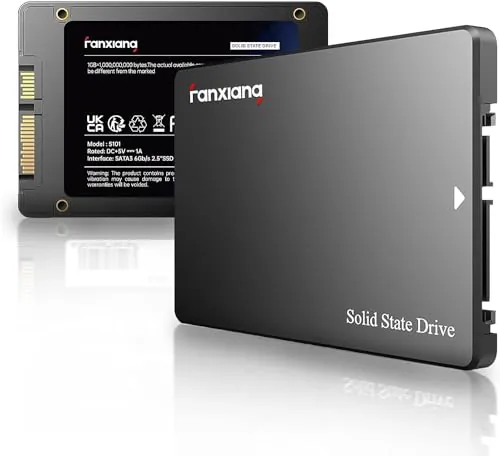
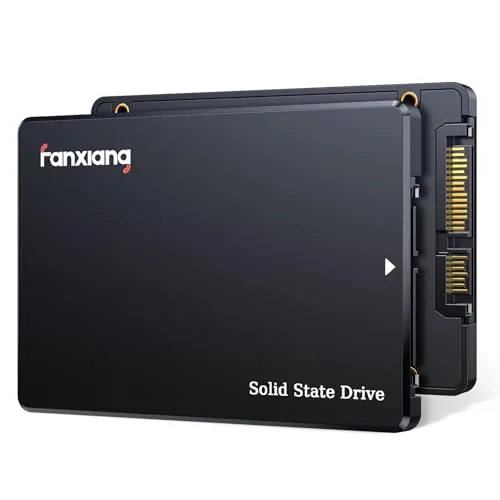
fanxiang S101 512GB SSD
- 512GB capacity provides twice the stated storage of the S101Q 256GB model.
Comparison
The fanxiang S101 512GB and S101Q 256GB are 2.5-inch SATA SSDs designed to replace slower hard drives in compatible computers. The S101 offers more capacity and slightly higher listed speed figures, while the S101Q has the better overall score with stronger setup, compatibility, feature, and value results. Both have positive upgrade feedback but mixed reliability evidence.
#1 Overall Winner
Contender
Choose the fanxiang S101Q 256GB for a straightforward SATA boot-drive upgrade, stronger compatibility evidence, and the more complete stated feature set. Choose the fanxiang S101 512GB if you need twice the storage and prefer its slightly higher listed transfer figures. For either model, verify 2.5-inch SATA support and keep important data backed up.
Overall winner
Depends on your needs
| Feature | fanxiang S101 512GB SSD | fanxiang S101Q 256GB SATA SSD | Winner |
|---|---|---|---|
Listed capacity |
512GB |
256GB |
fanxiang S101 512GB SSD |
Maximum listed read speed |
Up to 550MB/s |
Up to 530MB/s |
fanxiang S101 512GB SSD |
Listed write/media speed |
450MB/s media speed |
Up to 420MB/s write |
fanxiang S101 512GB SSD |
Interface and form factor |
2.5-inch SATA 6Gb/s |
Tie |
Flash and cache details |
3D NAND TLC stated |
3D NAND and SLC cache stated |
Depends |
Storage-management features |
Not specified in provided data |
ECC, TRIM, S.M.A.R.T., RAID, wear leveling, garbage collection |
fanxiang S101Q 256GB SATA SSD |
Overall assessment |
Lower overall score |
Higher overall score |
fanxiang S101Q 256GB SATA SSD |
Performance and speed scoring |
Slightly higher |
Slightly lower |
fanxiang S101 512GB SSD |
Setup and usability |
Strong |
Stronger |
fanxiang S101Q 256GB SATA SSD |
Compatibility |
Mixed review feedback |
Higher compatibility score |
fanxiang S101Q 256GB SATA SSD |
Reliability evidence |
Mixed; failures reported |
Mixed; failures and capacity concerns reported |
fanxiang S101Q 256GB SATA SSD |
Stated support |
3-year quality assurance |
3-year after-sales service and lifetime technical support |
fanxiang S101Q 256GB SATA SSD |
The S101 has a narrow performance advantage in the supplied scores and a small lead in the listed sequential figures: up to 550MB/s read and 450MB/s media speed versus the S101Q's up to 530MB/s read and 420MB/s write. In practical terms, both are SATA SSDs rather than NVMe drives, and both are intended to make compatible systems feel quicker than they did with a mechanical hard drive. Reviews for both mention noticeably faster boots and improved responsiveness. The gap in the advertised figures is modest, so capacity and installation confidence are likely to have a larger effect on the buying decision.
The S101 is the slight speed winner from the information supplied. It is rated up to 550MB/s read with 450MB/s media speed, compared with up to 530MB/s read and 420MB/s write for the S101Q, and it scores modestly higher for speed. Both should be understood within SATA limits and should not be compared as though they were NVMe models. For a system moving from an HDD, either can provide a substantial responsiveness improvement when properly installed.
Reliability is a caution area for both models. The S101Q has the higher reliability score and lists data-management features intended to support stable operation, but its review data still includes reports of failed drives and capacity concerns on some variants. The S101 has a lower reliability score, with mixed feedback that includes failures after use and detection issues. The available evidence supports the S101Q as the less risky of the two, not as a risk-free choice. Keep backups of important data regardless of selection.
Both drives receive positive feedback for simple upgrades and faster startup performance, but the S101Q has the stronger usability score. Its reviews include examples of straightforward replacement in older laptops, while the S101 also receives praise for easy installation and cloning. The difference is that the S101 has more reports of initial formatting, cloning, and recognition complications. A user comfortable with drive initialization and troubleshooting can use either drive, but the S101Q is the more favorable option for a low-friction upgrade based on the provided evidence.
Both products use the standard, compact 2.5-inch SATA SSD design, with a listed thickness of 0.28 inches. Their form factor makes them suitable for compatible laptop bays, desktop mounts, and SATA-to-USB enclosures. The S101Q has the higher design score, but the physical difference is limited in the supplied specifications. The more meaningful design consideration is fit: buyers should confirm that their device accepts a 2.5-inch SATA drive and has the necessary connector and mounting arrangement.
The S101Q leads in build-quality scoring and is described in reviews as well made; its listing also calls it shock resistant. The S101 uses an ABS+PC enclosure, while the S101Q specifies a polycarbonate enclosure. Neither data set provides detailed testing of casing strength or long-term component endurance. The score advantage favors the S101Q, but both drives should be installed securely and treated as internal storage devices rather than relied upon without backups.
The S101Q has the higher durability score and is advertised as shock resistant, which is relevant to a solid-state drive with no spinning components. The S101 emphasizes 3D NAND TLC as a longer-life write solution compared with QLC in its own listing. There is no direct endurance rating or long-term test data provided for either drive. The S101Q has the score advantage, but mixed failure reports mean durability should not be assumed from the listing alone.
Both are lightweight 2.5-inch internal drives that can also be used externally with a separate SATA-to-USB enclosure or cable. The S101Q has the higher portability score, though the listed dimensions are effectively similar and neither product includes a portable enclosure in the provided details. For travel use, an enclosure, cable, and protection against physical loss are more important than the small difference between these internal-drive designs.
The S101Q has the more fully described feature set. Its listing names 3D NAND, SLC cache, garbage collection, wear leveling, RAID, ECC, TRIM, S.M.A.R.T., shock resistance, and SATA backward compatibility. The S101 listing specifies 3D NAND TLC chips and broad device and operating-system compatibility, but it does not provide the same range of storage-management details. Buyers who want these named functions documented in the listing should favor the S101Q; those who prioritize the S101's 512GB capacity may accept the less detailed feature disclosure.
The S101Q wins setup comparison, with the higher setup score and reviews describing quick replacement and operating-system installation in older systems. The S101 is also often described as easy to install, but some users encountered cloning, formatting, or recognition issues before the drive worked correctly. Neither product includes a companion app in the provided data. Users migrating an existing system should plan their cloning or clean-install process, and first-time upgraders may prefer the S101Q's stronger setup evidence.
The S101Q is the stronger compatibility choice in the supplied scoring. It supports SATA III and states backward compatibility with SATA II and SATA, while both drives list Windows, Linux, Mac OS, laptops, desktops, and related devices. The S101's compatibility score is lower, and its reviews mention cases where systems or adapters did not recognize the drive. Before buying either SSD, confirm a 2.5-inch SATA bay or enclosure, supported interface, BIOS configuration, and the specific device's storage limitations.
Both SSDs connect through SATA 6Gb/s and are designed for compatible desktop, laptop, and gaming-console use. The S101Q has the higher connectivity and compatibility scores and explicitly states backward compatibility with SATA II and SATA interfaces. The S101 listing also states wide operating-system support, but its review record includes more mixed recognition feedback. Neither drive connects directly by USB; external use requires a compatible SATA-to-USB cable or enclosure, and the adapter can affect recognition results.
The S101Q has the higher power-efficiency score. Both SSDs should avoid the mechanical activity of a hard drive, and the S101 receives positive feedback for running cool and quiet. However, the provided data does not include measured power draw, standby consumption, or thermal testing for either model. The S101Q is the score-based choice, while neither drive has enough supplied measurement data to quantify an energy-use difference.
The S101Q leads on value score, helped by stronger setup, compatibility, feature, and customer-satisfaction results. Its 256GB capacity makes sense as an OS drive or light-storage upgrade. The S101 can be better value for a buyer who would otherwise need to purchase a larger drive, because it supplies 512GB and slightly higher stated speed figures. The given prices alone should not decide the comparison, particularly because review reliability and compatibility feedback make intended use, capacity needs, and backup planning important.
Both products are from fanxiang, so there is no meaningful brand-versus-brand difference. The S101Q has the higher brand-trust score in the supplied assessment, but both scores are moderate rather than strong. Mixed reliability feedback and questions in some S101Q reviews about variant specifications or warranty messaging mean buyers should read the exact listing, retain purchase records, and verify the terms shown for the selected capacity.
Both drives have a 4.5/5-star Amazon rating, but the S101 has a much larger review count: 23,083 versus 5,646 for the S101Q. The S101Q nevertheless has the higher customer-satisfaction score. Positive themes overlap: easy installation, faster startup, and good value. Negative themes also overlap: reliability uncertainty and occasional compatibility problems. The S101Q's stronger score favors it, while the S101's larger feedback base provides more evidence of both positive outcomes and reported issues.
Both listings state three years of coverage in some form. The S101 lists a three-year quality assurance, while the S101Q lists three years of after-sales service plus lifetime technical support. The S101Q has a small warranty-support score advantage. Since one review mentions differing warranty information for a variant, buyers should verify the coverage displayed on the exact product page and keep documentation for any support claim.
The fanxiang S101Q 256GB SATA SSD is the better overall option in this comparison. It achieves the higher overall score and leads in usability, setup, compatibility, durability, value, customer satisfaction, and stated feature depth. It is the more sensible choice for an older computer that needs a modest-capacity SATA boot drive and a relatively straightforward upgrade path.
The fanxiang S101 512GB remains compelling when storage space is the priority. It offers twice the listed capacity and a modest lead in the supplied speed and performance data, making it more practical for users who need room beyond a basic operating-system installation. Neither SSD has consistently strong reliability evidence, however. Select only after confirming SATA compatibility, and treat backups as essential rather than optional. The best choice is therefore S101Q for the stronger all-round profile, or S101 when 512GB is worth the trade-off.

Overall winner
Depends on your needs
The S101Q is the stronger overall choice in the supplied scoring, leading on overall score, setup, compatibility, value, and customer satisfaction. The S101 512GB remains the better fit when its 512GB capacity and slightly higher listed speed figures matter more. Both should be considered budget SATA upgrades with mixed reliability feedback.
Yes. The S101 product data specifies 512GB, while the S101Q listing here specifies 256GB. That makes the S101 the more practical choice for users who need room for an operating system, applications, games, and additional files. Check the exact listing variant before ordering because reviews reference other capacities.
The S101 has a small advantage in the supplied specifications: up to 550MB/s read and 450MB/s media speed, compared with up to 530MB/s read and 420MB/s write for the S101Q. The score data also gives the S101 a narrow lead in performance and speed, although both are SATA SSDs intended to improve on HDD responsiveness.
The S101Q is the better-supported pick for installation based on its higher setup score. Reviews for both drives often describe simple upgrades and faster boots after replacing an old hard drive. However, confirm that the computer accepts a 2.5-inch SATA drive, and be prepared to initialize, format, clone, or reinstall an operating system if needed.
Both are 2.5-inch SATA drives intended for compatible laptops, desktops, and all-in-one systems, with Windows, Linux, and Mac OS listed. The S101Q also states backward compatibility with SATA II and SATA. Compatibility is not automatic: the S101 has mixed recognition feedback, so buyers should verify the device bay, interface, BIOS settings, and any enclosure or adapter.
The S101Q has the higher reliability score, but neither drive has unqualified long-term confidence from the available feedback. The S101 has reports of failure and detection issues. The S101Q has some reports of failures and capacity concerns, including reviews of other variants. Maintain backups and test the exact drive promptly after installation.
The S101Q has the higher value score and stronger customer-satisfaction score, helped by its setup and compatibility results plus its listed management features. The S101 may deliver better value for buyers who genuinely require 512GB, since it offers twice the stated capacity. Value depends on required capacity, compatibility, and confidence in the specific listing rather than price alone.
Check our rankings and expert guides to find the best electronics products for your goals.