#1 Overall Winner
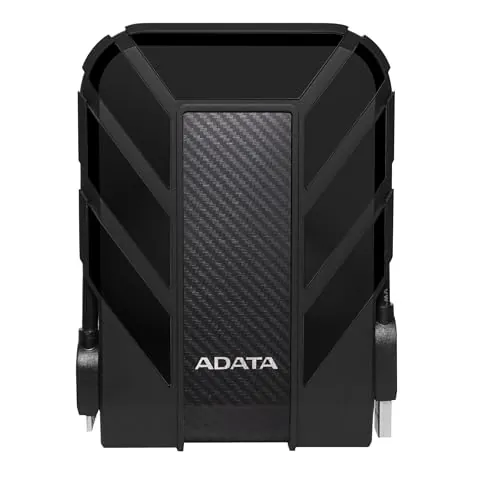
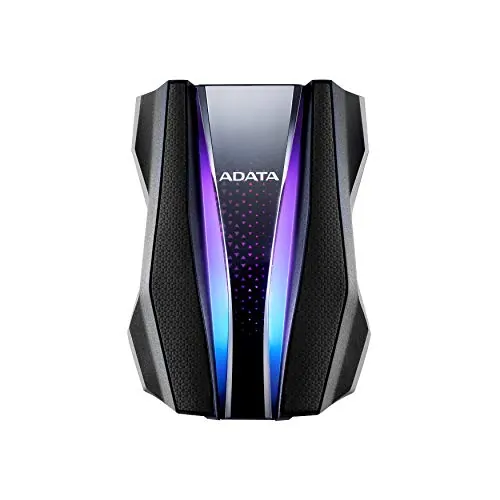
ADATA HD710 Pro 2 TB
- Provides 2 TB of portable mechanical storage.
Comparison
The ADATA HD710 Pro 2 TB and 1 TB are closely related rugged portable hard drives with the same headline water, dust and shock protection. Choose the 2 TB version for substantially more storage and stronger durability, portability and value results; choose the 1 TB version if its stronger performance, connectivity and compatibility scores better match a smaller storage requirement.
#1 Overall Winner
Contender
Choose the ADATA HD710 Pro 2 TB for larger portable backups and the stronger durability and portability profile. Choose the ADATA HD710 Pro 1 TB for lighter storage needs and marginally stronger performance, compatibility and connectivity scoring. Both are rugged mechanical drives, not high-speed SSDs.
Overall winner
Depends on your needs
| Feature | ADATA HD710 Pro 2 TB | ADATA HD710 Pro 1 TB | Winner |
|---|---|---|---|
Storage capacity |
2 TB |
1 TB |
ADATA HD710 Pro 2 TB |
Drive type |
5,400 RPM mechanical HDD |
Tie |
Listed read speed |
90 MB/s |
90 MB/s |
Tie |
Rugged protection |
IP68, IP6X, MIL-STD-810G 516.6 |
Tie |
Dimensions |
5.2 x 3.8 x 1.01 in |
5.2 x 3.8 x 0.8 in |
ADATA HD710 Pro 1 TB |
Weight |
270 g |
0.6 lb |
Depends |
Performance score |
74 |
78 |
ADATA HD710 Pro 1 TB |
Durability score |
95 |
93 |
ADATA HD710 Pro 2 TB |
Portability score |
90 |
86 |
ADATA HD710 Pro 2 TB |
Compatibility score |
82 |
88 |
ADATA HD710 Pro 1 TB |
Customer rating |
4.6/5 from 29,610 reviews |
Tie |
Warranty information |
3-year limited warranty stated |
Not stated in provided listing |
ADATA HD710 Pro 2 TB |
The 1 TB model has the higher performance score, but both products are 5,400 RPM mechanical drives with a listed 90 MB/s read speed. In practical terms, neither is positioned for SSD-level responsiveness. Reviews say USB 3.0 transfers can be fast, while noting that results may vary with file size and source-drive conditions. Choose capacity first unless the small scoring advantage of the 1 TB model matters more to your workflow.
The 1 TB HD710 Pro has a small advantage in speed scoring, although both drives list a 90 MB/s read speed and use 5,400 RPM mechanical disks. That means real transfer results depend on the type and condition of the files being copied. For either capacity, users moving large quantities of data should expect hard-drive behavior rather than the consistently higher transfer rates associated with SSD storage.
Reliability is a shared caution rather than a clear win. Both products have mid-range reliability results, and the aggregate review data reports mixed experiences: some buyers report immediate, trouble-free operation, while others experienced failures. Since these are mechanical drives intended for data storage, important files should be duplicated elsewhere. The 2 TB model has a marginally higher reliability score, but the difference is not large enough to outweigh capacity needs.
The 2 TB model has a modest usability advantage. Both are described as easy to use and easy to format or partition, and reviewers report simple plug-in setup. However, feedback for both also identifies the drive-side connector as a possible inconvenience, particularly for users who find it difficult to insert. Neither has a decisive everyday-use advantage beyond the 2 TB model's slightly higher usability result.
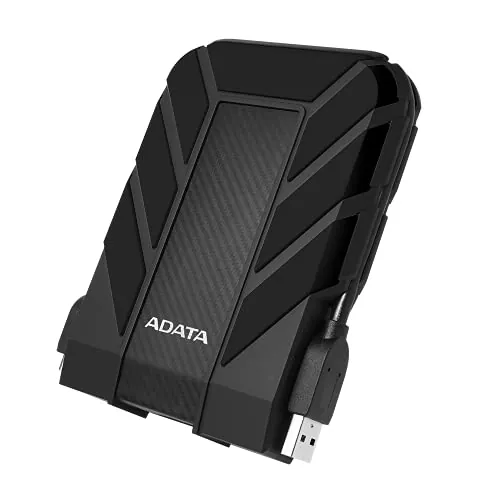
Both drives use a similar portable rugged form factor with integrated cable management. The 2 TB version leads slightly in design scoring, whereas the 1 TB model is listed as thinner at 0.8 inches compared with 1.01 inches for the 2 TB version. Choose the 1 TB drive if a slimmer body is more important; choose the 2 TB version if its higher design result and larger capacity better suit your use.
Both models use the HD710 Pro ruggedized construction and receive high build-quality results. The 2 TB model has a narrow lead in build quality, while the 1 TB model remains close behind. Reviews praise the solid, military-grade feel and cable storage arrangement, but one review notes that the port-cover flap can feel loose. The protection features should not remove the need for careful handling of the connector and stored data.
The 2 TB model wins narrowly on durability scoring, although both are purpose-built rugged drives. Each listing states IP68 water and dust protection plus MIL-STD-810G 516.6 shock protection, and reviewers repeatedly praise the tough construction. The 2 TB model is the better pick where ruggedness is the deciding factor, but both should be considered protective storage devices rather than substitutes for maintaining multiple backups.
The 2 TB model receives the higher portability score despite being listed as thicker than the 1 TB version. Both are designed for mobile storage, with cable management that helps keep the lead with the drive. The 1 TB option may appeal to buyers prioritizing a thinner listed profile, while the 2 TB model is stronger for travelers who want to carry more data in one rugged device.
Core features are effectively the same: portable 2.5-inch mechanical storage, USB connectivity, cable management, PC/Mac/Linux support and stated IP68, IP6X and MIL-STD-810G 516.6 protection. The 1 TB model has a slightly higher feature score, but the significant functional distinction in the supplied data is capacity. The 2 TB model is better equipped for larger file collections simply because it has more space.
Neither drive is defined by a companion-app experience. A review mentions an optional downloadable application for automated backup processing, but does not establish meaningful differences between these capacities. Buyers who prefer manual file management can use the drives as standard external storage, while those interested in backup software should confirm current software availability and operating-system support before purchase.
Setup is straightforward for both models: reviewers describe plugging the drive into USB and beginning use, with easy formatting and partitioning also noted. The 2 TB version has a small setup-score advantage. For cross-platform or mobile use, formatting may be the main setup consideration. Back up existing files before reformatting, and check the required file system for the devices you plan to use.
Both drives are listed for PC, Mac and Linux, but the 1 TB model has the higher compatibility score. A review reports successful use with an iPad after formatting the drive as FAT32 on Windows; this demonstrates that formatting can affect compatibility rather than guaranteeing support for every device. Confirm your operating system, ports, file-system needs and individual-file sizes before choosing a format.
The 1 TB model has the stronger connectivity score and lists USB 3.2 alongside USB 3.0 hardware connectivity, while the 2 TB listing identifies USB 3.1/USB 3.0. Both are USB external drives and both receive mixed customer feedback on their cables and connections. Some reviewers praise a firm, wide connector, while others report weak or faulty connections. Verify that your device has a suitable USB port and keep the cable secure.
The 1 TB HD710 Pro has the higher power-efficiency score. The provided data does not include measured power draw or runtime because these are USB-powered external hard drives, so the scoring difference should be treated as a modest preference rather than a detailed energy-use comparison. For most buyers, capacity, connection compatibility and durability are likely to matter more.
Value depends on capacity needs rather than price alone. The 2 TB model has the higher value score and offers twice the storage alongside a slightly stronger build, durability and portability profile. The 1 TB model has lower listed cost and stronger results in several operational categories, but it has half the capacity. Choose the model that avoids paying for unused storage without leaving too little room for future backups.
There is no meaningful brand split because both products are ADATA HD710 Pro drives. The 1 TB model has a slightly higher brand-trust score, but both share the same manufacturer, product family and broad customer-review record. Buyer confidence should therefore rest more on capacity requirements, the stated protection features and the mixed reliability feedback than on a brand distinction.
Customer satisfaction is tied in the supplied scoring. Each listing shows a 4.6/5 rating from 29,610 reviews, with repeated praise for durability, ease of use, value, storage capacity and USB transfer performance. The same aggregate feedback also flags mixed reliability and connectivity experiences. The identical rating data means capacity and fit should decide this comparison.
The 2 TB listing has the clearer advantage because it explicitly states a 3-year limited warranty. The supplied 1 TB listing does not provide warranty duration, so it should not be assumed to have different coverage; it is simply not documented in the available data. Buyers who place weight on after-sales terms should confirm current coverage, exclusions and regional conditions with the seller before ordering.
The ADATA HD710 Pro 2 TB is the stronger overall recommendation for most buyers because its double capacity makes the same rugged platform more useful for long-term portable backups. It also holds small advantages in durability, portability, usability, design and value, while the supplied listing clearly identifies a 3-year limited warranty. That makes it the logical choice for larger media collections and users who want to carry more data in one protected drive.
The HD710 Pro 1 TB remains a sensible alternative when 1 TB is enough. It is listed as thinner and scores higher for performance, features, connectivity, compatibility and power efficiency. Neither is a compelling choice for buyers seeking SSD-class transfer behavior, and both have mixed reliability and cable feedback. Select capacity first, verify formatting and USB compatibility, and keep critical files backed up in more than one location.

Overall winner
Depends on your needs
Neither version is universally better because they share the same rugged HD710 Pro platform. The 2 TB model is the better fit when storage capacity, portability and stated warranty coverage are priorities. The 1 TB model scores somewhat better for performance, compatibility, connectivity and power efficiency, making it suitable when 1 TB is enough.
Both listings state IP68 waterproof and dustproof protection, plus MIL-STD-810G 516.6 shock protection with a stated 1.5 m drop-test specification. Each also uses the HD710 Pro triple-layer rugged construction. Buyers should still ensure the port cover is properly closed when relying on environmental protection.
The 2 TB HD710 Pro is generally the more practical backup choice when you keep larger photo libraries, videos, game files or multiple computer backups. The 1 TB model can still suit document-focused or lighter backup needs. In either case, reviews note that hard-drive failures can occur, so important files should have more than one backup.
Both are mechanical 5,400 RPM drives with a listed 90 MB/s read speed, rather than SSDs. Reviews describe fast USB 3.0 transfers, while also noting that transfer results can vary with file size and source-drive conditions. The 1 TB model has a modestly higher speed score, but neither model is presented as an SSD replacement.
Both are portable drives with integrated cable management designed for transport. The 2 TB model has the higher portability score, although its listed body is thicker at 1.01 inches. The 1 TB model is listed as thinner at 0.8 inches and weighs 0.6 lb, so the preferred choice depends on whether capacity or listed thickness matters more.
Both product listings state compatibility with PC, Mac and Linux. One review notes that using the drive with iOS required formatting it as FAT32 through Windows first. That is review-based guidance rather than a general compatibility guarantee, so buyers should verify the required file system for their computer, mobile device and intended files before formatting.
Customer feedback is mixed for both capacities. Many customers praise durability, easy setup and everyday operation, while some report failures or weak and faulty cable connections. The supplied scoring also places reliability below the products' durability and satisfaction results. For important data, maintain separate backups and check the cable connection carefully.
Check our rankings and expert guides to find the best electronics products for your goals.