ElectronicsRanker
Menu
ADATA SU630 vs ADATA SU800 SATA SSD Comparison

Comparison

ADATA SU630 vs ADATA SU800 SATA SSD Comparison

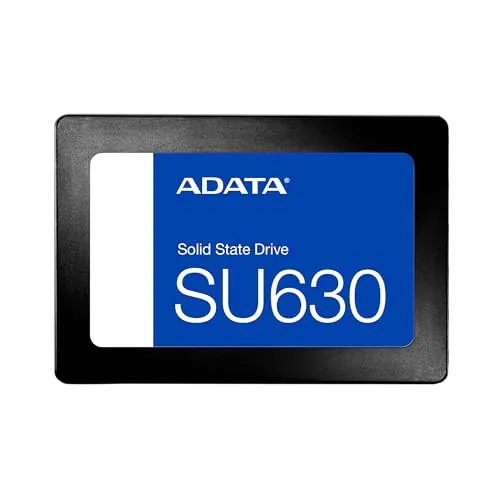
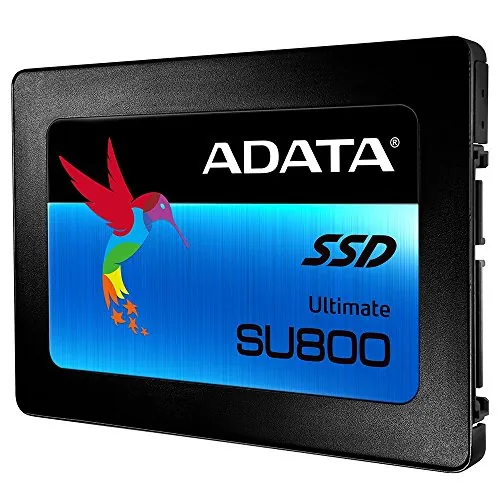
The ADATA SU630 240GB and ADATA SU800 256GB are 2.5-inch SATA SSDs designed to replace slower mechanical drives. The SU630 is the better overall value-led option in the supplied data, while the SU800 offers higher rated speeds, a DRAM cache, broader stated compatibility, and a three-year warranty.

Expert tested Data driven Unbiased reviews Updated 2 August 2026
ADATA SU630 240GB SATA SSD

#1 Overall Winner

ADATA SU630 240GB SATA SSD

84/100
  • Lower listed price and a stronger value assessment.
View review
ADATA SU800 256GB SATA SSD

Contender

ADATA SU800 256GB SATA SSD

76/100
  • Higher rated sequential speeds of up to 560MB/s read and 520MB/s write.
View review

Quick verdict

Choose the ADATA SU630 for a lower-cost, straightforward SATA upgrade with stronger value and customer-satisfaction evidence. Choose the ADATA SU800 if you prioritise higher quoted speeds, DRAM caching, explicit Mac/Linux support, and a stated three-year warranty, while accepting its higher listed cost and mixed durability feedback.

Overall winner

Depends on your needs

At-a-glance comparison

Feature ADATA SU630 240GB SATA SSD ADATA SU800 256GB SATA SSD Winner

Capacity

240GB

256GB

ADATA SU800 256GB SATA SSD

Rated read speed

Up to 520MB/s

Up to 560MB/s

ADATA SU800 256GB SATA SSD

Rated write speed

Up to 450MB/s

Up to 520MB/s

ADATA SU800 256GB SATA SSD

NAND and cache

3D QLC NAND

3D NAND, dynamic SLC cache, DRAM cache

ADATA SU800 256GB SATA SSD

Form factor

2.5-inch

2.5-inch

Tie

Interface

SATA 6.0Gb/s

SATA 6.0Gb/s

Tie

Compatibility

Desktop; PC and notebook hardware listed

Desktop; PC, Mac, and Linux listed

ADATA SU800 256GB SATA SSD

Setup

Very strong setup feedback

Strong setup feedback

ADATA SU630 240GB SATA SSD

Reliability feedback

Consistently positive supplied feedback

Positive reports, with early-failure concerns

ADATA SU630 240GB SATA SSD

Warranty

Not specified in supplied data

Three years

ADATA SU800 256GB SATA SSD

Migration tools

Not specified

SSD Toolbox and Migration Utility listed

ADATA SU800 256GB SATA SSD

Listed price

65.01

128.72

ADATA SU630 240GB SATA SSD

Customer rating

4.7/5 from 9,944 reviews

4.7/5 from 2,856 reviews

ADATA SU630 240GB SATA SSD

Best fit

Budget everyday upgrade

Feature-focused SATA upgrade

Depends

Detailed comparison

Performance

The SU800 has the stronger stated performance profile. Its maximum sequential rating of 560MB/s read and 520MB/s write exceeds the SU630's 520MB/s read and 450MB/s write figures, and its DRAM cache plus dynamic SLC caching are intended to support performance. Reviews of both drives report major improvements over mechanical hard drives, particularly for booting and opening applications. For routine operating-system and general-use workloads, either should feel much faster than an HDD; the SU800 has the clearer edge where higher quoted transfer rates and caching matter.

Speed

The SU800 wins on published speed, with up to 560MB/s reads and 520MB/s writes versus up to 520MB/s and 450MB/s for the SU630. Its DRAM and SLC caching are additional reasons to prefer it for buyers focused on SATA responsiveness and writes. The SU630 still provides a large practical speed increase over an HDD, and its reviews include reported results close to the SATA interface limit. Available capacity, fill level, caching behaviour, and the computer's SATA implementation can affect real-world results.

Reliability

The SU630 has the better reliability case in the supplied comparison. Its aggregated review summary describes it as reliable, and individual feedback reports trouble-free use. The SU800 also has numerous positive reports, including longer-term use, but its aggregated review overview specifically identifies multiple failures after one to six months. Buyers who place the greatest weight on the available customer-feedback consistency should lean toward the SU630, while remembering that neither product dataset provides a complete failure-rate measurement.

ADATA SU630 240GB SATA SSD

Pros

  • Lower listed price and a stronger value assessment.
  • High customer satisfaction from 9,944 reviews with a 4.7/5 rating.
  • Simple 2.5-inch SATA installation, with reviews frequently describing straightforward setup.
  • Rated sequential speeds of up to 520MB/s read and 450MB/s write.
  • Well suited to replacing a mechanical hard drive for everyday PC use.
  • Listed shock resistance of 1,500g and MTBF of 1.5 million hours.

Cons

  • The 240GB capacity can be restrictive for large game libraries or extensive media storage.
  • Its QLC design is positioned for general use rather than frequent, sustained write-heavy workloads.
  • Rated write speed is lower than the SU800's 520MB/s figure.
  • No migration utility, warranty term, or mounting hardware is specified in the supplied information.
  • Compatibility is listed for desktop use, while the SU800 explicitly lists PC, Mac, and Linux.
ADATA SU630 240GB SATA SSD

ADATA SU800 256GB SATA SSD

Pros

  • Higher rated sequential speeds of up to 560MB/s read and 520MB/s write.
  • Uses 3D NAND with dynamic SLC caching and a DRAM cache buffer.
  • Slightly larger 256GB capacity.
  • Broad stated platform compatibility across PC, Mac, and Linux.
  • Includes a three-year warranty.
  • Supports ADATA SSD Toolbox and Migration Utility software.

Cons

  • The listed price is substantially higher than the SU630's.
  • Customer feedback includes multiple reports of failures after one to six months, despite many positive reliability reports.
  • The 256GB capacity remains modest for storage-intensive use.
  • Some reviewers found the process for accessing the migration software burdensome.
  • One review advises handling the connector carefully.
ADATA SU800 256GB SATA SSD

Final verdict

The ADATA SU630 240GB is the best overall option in this comparison because it delivers the core benefit of a SATA SSD upgrade at a much lower listed price, with very strong setup, value, customer-satisfaction, and reliability feedback. For an older computer moving away from a hard drive, its performance should be sufficient for everyday operating-system and application use.

The ADATA SU800 256GB remains the better specification-led alternative. It has more capacity, higher rated read and write speeds, a DRAM cache, dynamic SLC caching, broader stated platform support, and a three-year warranty. These strengths make it appealing for buyers who want a more fully featured SATA drive. However, its higher listed price and aggregated reports of early failures mean the SU630 is the more balanced recommendation unless the SU800's particular features are important to your system and workload.

Overall winner

Depends on your needs

Frequently asked questions

<p>Which is better overall: the ADATA SU630 240GB or ADATA SU800 256GB?</p>

The ADATA SU630 is the stronger overall choice in the supplied scoring because it combines a lower listed price, stronger value assessment, higher customer-satisfaction assessment, and more consistently positive reliability feedback. The SU800 is the better technical fit for buyers who specifically want its higher rated speeds, DRAM cache, 3D NAND features, and stated three-year warranty.

<p>Which SSD is faster, the ADATA SU630 or SU800?</p>

The ADATA SU800 has higher stated sequential performance, at up to 560MB/s read and 520MB/s write. The SU630 is rated at up to 520MB/s read and 450MB/s write. Both should be a substantial upgrade over a mechanical hard drive, but the SU800 has the clearer advantage for rated SATA transfer performance.

<p>Is the ADATA SU630 or SU800 better for upgrading an old computer?</p>

Either drive can suit an older computer with a compatible 2.5-inch SATA bay. Reviews for both models describe noticeably quicker booting and everyday responsiveness after replacing a hard drive. Choose the SU630 for a lower-cost general-use upgrade; choose the SU800 if its stated PC, Mac, and Linux support, DRAM cache, and higher rated write speed matter more.

<p>Which drive offers better value, the ADATA SU630 or SU800?</p>

The SU630 is the better value choice based on the provided data. Its listed price is lower, its value assessment is stronger, and its review record is larger while holding the same 4.7/5 rating. The SU800 can still justify its higher cost for buyers who need its cache design, slightly larger capacity, warranty, or higher rated speeds.

<p>Does either SSD include migration software?</p>

The SU800 is described as supporting ADATA SSD Toolbox and Migration Utility software. However, one review reports that obtaining the migration software required an inconvenient proof-of-purchase process. No comparable migration software is specified for the SU630, so buyers should plan their cloning or operating-system installation method before purchasing.

<p>Which ADATA SSD has better reliability feedback?</p>

The SU630 has the better reliability position in the supplied comparison data. Its reviews and aggregated summary emphasise dependable operation, while the SU800's aggregated review summary notes multiple reports of failures after one to six months. This does not mean every SU800 will fail, as other supplied reviews describe months or years of trouble-free use.

<p>Are the ADATA SU630 and SU800 suitable for write-heavy work?</p>

The SU800 is the more suitable of these two for demanding SATA workloads because it lists a DRAM cache buffer, dynamic SLC caching, and higher write performance. The SU630's QLC design is described as better for ordinary laptop or desktop use than for scenarios involving frequent full-drive erasing or rewriting. Neither drive provides enough supplied information to assess every professional workload.

<p>Which SSD is easier to install?</p>

Both drives score well for setup and have reviews describing easy installation and immediate recognition by a system. They are both 2.5-inch SATA internal drives, so the practical result depends on whether the computer has a compatible bay, SATA connection, cable, and any required mounting bracket. The supplied reviews note that accessories may need to be purchased separately.

Related comparisons

Still not sure which one to choose?

Check our rankings and expert guides to find the best electronics products for your goals.

View all rankings