ElectronicsRanker
Menu
ADATA SU630 vs ADATA SU650 SSD Comparison

Comparison

ADATA SU630 vs ADATA SU650 SSD Comparison

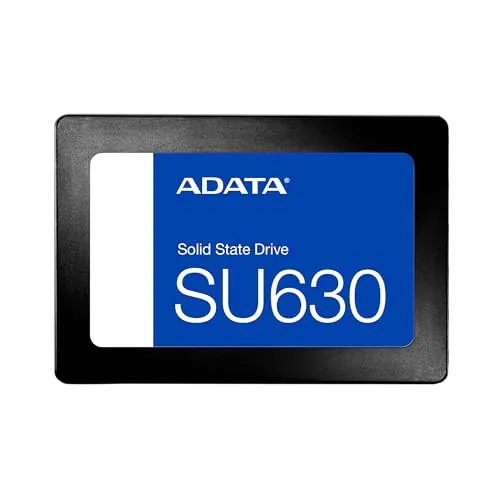
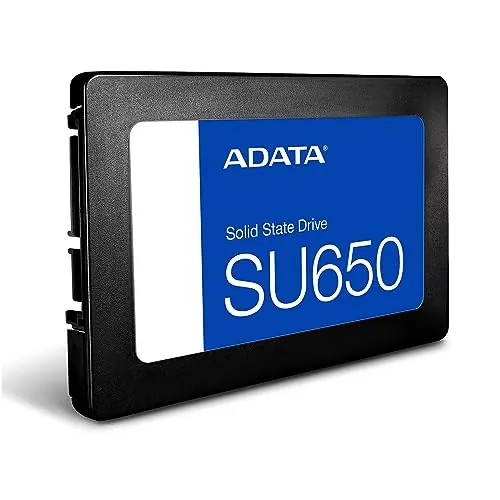
The ADATA SU630 240GB and ADATA Ultimate SU650 1TB are 2.5-inch SATA SSDs with the same listed 520MB/s read and 450MB/s write speeds. The SU650 is the stronger choice for buyers needing 1TB capacity and migration software, while the SU630 is a well-rated basic upgrade with stronger supplied reliability and compatibility scores.

Expert tested Data driven Unbiased reviews Updated 2 August 2026
ADATA SU630 240GB SATA SSD

#1 Overall Winner

ADATA SU630 240GB SATA SSD

84/100
  • Up to 520MB/s read and 450MB/s write specifications provide a substantial upgrade over a mechanical hard drive.
View review
ADATA Ultimate SU650 1TB SATA SSD

Contender

ADATA Ultimate SU650 1TB SATA SSD

84/100
  • 1TB capacity gives considerably more room for games, system images, applications, and general files.
View review

Quick verdict

Choose the ADATA SU650 1TB for significantly more storage, migration software, and a slightly stronger performance-oriented score profile. Choose the ADATA SU630 240GB for a simple general-use SATA upgrade when limited capacity is enough and its stronger reliability and compatibility scoring better matches your priorities.

Overall winner

Depends on your needs

At-a-glance comparison

Feature ADATA SU630 240GB SATA SSD ADATA Ultimate SU650 1TB SATA SSD Winner

Capacity

240GB

1TB

ADATA Ultimate SU650 1TB SATA SSD

Form factor

2.5-inch

2.5-inch

Tie

Interface

SATA 6Gb/s

SATA 6Gb/s

Tie

Advertised read speed

Up to 520MB/s

Up to 520MB/s

Tie

Advertised write speed

Up to 450MB/s

Up to 450MB/s

Tie

NAND and protection

3D QLC NAND

3D NAND with LDPC error correction

ADATA Ultimate SU650 1TB SATA SSD

Migration software

Not listed

Free ADATA software listed

ADATA Ultimate SU650 1TB SATA SSD

Performance score

79

82

ADATA Ultimate SU650 1TB SATA SSD

Reliability score

82

76

ADATA SU630 240GB SATA SSD

Compatibility score

85

80

ADATA SU630 240GB SATA SSD

Customer rating

4.7/5 from 9,944 reviews

4.8/5 from 5,647 reviews

ADATA Ultimate SU650 1TB SATA SSD

Value score

89

89

Tie

Detailed comparison

Performance

Both SSDs list identical peak SATA throughput of up to 520MB/s read and 450MB/s write, and both are reported to improve booting and general responsiveness compared with mechanical drives. The SU650 holds a small performance-score advantage and has stronger capacity for data-heavy use, while the SU630’s reports are especially positive for basic operating-system and office-style upgrades. Neither should be selected for interface-leading performance; both are SATA-based drives.

Speed

The advertised speed specifications are equal: both list up to 520MB/s reads and 450MB/s writes. The SU650 receives a marginally higher speed score and reviewers cite fast booting and transfers, while SU630 owners also report a clear improvement over hard drives. In sustained or demanding work, expectations should remain appropriate for SATA storage rather than newer interface classes.

Reliability

The SU630 has the stronger supplied reliability score and extensive positive feedback describing problem-free use. The SU650 also has many positive reliability reports, but its lower score and one customer overheating report introduce more caution. The overheating feedback is anecdotal and occurred alongside problematic Windows updates, so it should not be interpreted as proof of a universal issue. Important data should be backed up on either SSD.

ADATA SU630 240GB SATA SSD

Pros

  • Up to 520MB/s read and 450MB/s write specifications provide a substantial upgrade over a mechanical hard drive.
  • High usability and setup scores align with frequent reports of straightforward installation.
  • Strong value assessment for an entry-level 240GB SATA upgrade.
  • Reported compatibility with older PCs and laptops makes it practical for reviving existing systems.
  • Specified 1.5 million-hour MTBF and 1500G shock resistance support its suitability for general desktop use.
  • Very high customer satisfaction from 9,944 reviews with a 4.7/5 average rating.

Cons

  • Its 240GB capacity is restrictive for large game libraries, extensive media collections, or multiple large applications.
  • The QLC NAND design is better suited to ordinary desktop and laptop use than frequent write-intensive workloads.
  • SATA connectivity limits peak transfer performance compared with newer storage interfaces.
  • One review notes that mounting screws or hardware were not included.
  • Warranty and support details are not provided in the supplied product information.
ADATA SU630 240GB SATA SSD

ADATA Ultimate SU650 1TB SATA SSD

Pros

  • 1TB capacity gives considerably more room for games, system images, applications, and general files.
  • Up to 520MB/s read and 450MB/s write specifications match the SATA performance class of the SU630.
  • Includes LDPC error correction for data-integrity protection.
  • Free ADATA file-management and data-migration software is listed for PC upgrades.
  • Easy installation and faster booting are recurring themes in customer feedback.
  • Excellent customer satisfaction from 5,647 reviews with a 4.8/5 average rating.

Cons

  • Although quick for a SATA SSD, it is not positioned as a top-end storage option compared with newer alternatives.
  • SATA connectivity limits peak transfer performance compared with newer storage interfaces.
  • One customer review reported overheating during a problematic Windows-update period; this is isolated feedback rather than a confirmed general issue.
  • The supplied information describes a plastic case, which may matter to buyers prioritising premium materials.
  • Warranty and support details are not provided in the supplied product information.
ADATA Ultimate SU650 1TB SATA SSD

Final verdict

The ADATA Ultimate SU650 1TB is the best overall option for most buyers in this comparison. It matches the SU630’s listed 520MB/s read and 450MB/s write speeds, but adds far more capacity, migration software, LDPC error correction, and slightly stronger performance, speed, feature, portability, and customer-satisfaction scoring. It is the more adaptable choice for a main PC upgrade, game storage, or general file storage.

The ADATA SU630 240GB remains a worthwhile alternative when storage needs are modest. It has stronger supplied reliability, compatibility, power-efficiency, build-quality, design, and brand-trust scores, and its reviews support use as an affordable replacement for an old hard drive. Neither SSD is intended to lead newer storage classes in throughput, and both should be used with regular backups for important data.

Overall winner

Depends on your needs

Frequently asked questions

<p>Which is better, the ADATA SU630 240GB or the ADATA SU650 1TB?</p>

Neither is a universal winner because their core advantage differs. The SU650 is the more practical choice for users who need 1TB of space, migration software, and slightly stronger performance-related scoring. The SU630 is a sensible choice for a basic 240GB upgrade, with stronger reliability and compatibility scores and positive feedback for older-system upgrades.

<p>Do the ADATA SU630 and SU650 have different advertised SATA speeds?</p>

No. Both products list read speeds up to 520MB/s and write speeds up to 450MB/s, so their headline sequential-speed specifications are the same. The SU650 has a marginally higher speed score, but capacity and included software are more meaningful practical differences than the quoted maximum transfer figures.

<p>Is the ADATA SU650 1TB better for games than the SU630 240GB?</p>

The SU650 is generally the more convenient option for game storage because its 1TB capacity leaves far more space for a library of installed games. Both drives use the same 2.5-inch SATA format and list the same headline read and write speeds, so the principal advantage is capacity rather than a large specified speed difference.

<p>Is the ADATA SU630 suitable for upgrading an old PC?</p>

Yes, the supplied feedback supports that use case. Reviews describe successful installation in older laptops and PCs, quicker booting, and compatibility with older BIOS systems. Its 240GB capacity and QLC design make it most appropriate for operating systems, documents, browsing, and ordinary use rather than repeated heavy-write workloads.

<p>Which ADATA SSD is easier to install?</p>

This is effectively a tie. Both products receive a setup score of 92 and a usability score of 90, while reviews repeatedly describe installation as easy. Before purchasing, confirm that the computer has an available 2.5-inch SATA bay and the appropriate SATA data and power connections.

<p>Which drive offers more storage, the SU630 or SU650?</p>

The ADATA SU650 offers 1TB of storage, while the ADATA SU630 in this comparison offers 240GB. That makes the SU650 the better fit for users storing large game libraries, backups, applications, or media. The SU630 remains adequate when a smaller operating-system or basic-use drive is all that is required.

<p>Are these SSDs suitable for heavy write-intensive workloads?</p>

The supplied data points more clearly toward general PC use than demanding, continuous write workloads. The SU630’s QLC design is specifically framed as an economy option for normal laptop or desktop use. For either drive, maintain backups, particularly when storing important files or using storage in workloads involving frequent large transfers.

<p>Is there a reliability concern with the ADATA SU650?</p>

The SU650 has generally positive reliability feedback and a reliability score of 76, with many reviews reporting trouble-free operation. One review reported overheating during problematic Windows updates. That isolated report should be considered, but it does not outweigh the broader positive feedback; sensible airflow and regular backups remain advisable.

}],
<p>Which SSD has better value?</p>

Both products receive the same value score of 89, so value depends on the required capacity. The SU630 is compelling where 240GB is enough for a basic upgrade. The SU650 can be the more useful purchase for buyers who need 1TB, included migration software, and room for files or games, rather than needing to add another drive sooner.

Related comparisons

Still not sure which one to choose?

Check our rankings and expert guides to find the best electronics products for your goals.

View all rankings