#1 Overall Winner
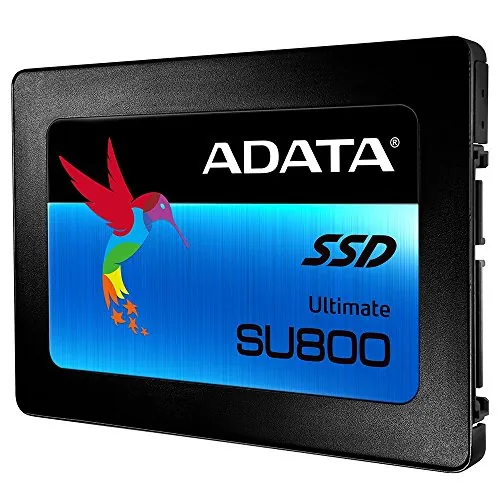
ADATA SU800 256GB SATA SSD
- Advertised sequential read/write speeds of up to 560/520 MB/s.
Comparison
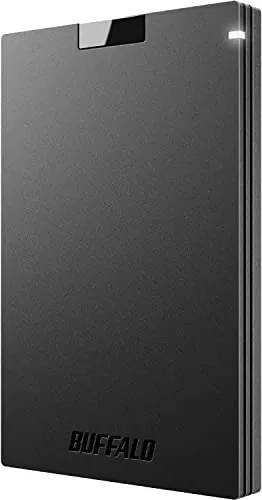
The ADATA SU800 256GB and Buffalo HD-ADU3 address different storage needs: the ADATA is an internal SATA SSD for improving a compatible computer, while the Buffalo is an external USB hard drive for convenient add-on storage. Choose the ADATA for faster system responsiveness; choose the Buffalo for simpler external use, TV recording suitability, and the stronger supplied value score.
#1 Overall Winner
Contender
Choose the ADATA SU800 for a compatible 2.5-inch SATA laptop or desktop that needs faster boots and application response. Choose the Buffalo HD-ADU3 for easy external storage, including TV-recording use, where convenience and value matter more than internal SSD speed.
Overall winner
Depends on your needs
| Feature | ADATA SU800 256GB SATA SSD | Buffalo HD-ADU3 External HDD | Winner |
|---|---|---|---|
| Storage type | Internal 2.5-inch SATA SSD | External USB hard drive | Depends |
| Stated capacity | 256GB | Not provided | Depends |
| Stated speed | Up to 560/520 MB/s read/write | No figure provided | ADATA SU800 256GB SATA SSD |
| Performance score | 86 | 74 | ADATA SU800 256GB SATA SSD |
| Usability score | 84 | 88 | Buffalo HD-ADU3 External HDD |
| Setup score | 88 | 90 | Buffalo HD-ADU3 External HDD |
| Compatibility score | 88 | 78 | ADATA SU800 256GB SATA SSD |
| Reliability score | 68 | 74 | Buffalo HD-ADU3 External HDD |
| Value score | 69 | 86 | Buffalo HD-ADU3 External HDD |
| Brand trust score | 75 | 82 | Buffalo HD-ADU3 External HDD |
| Customer satisfaction | 4.7/5 from 2,856 reviews | 4.3/5 from 33,929 reviews | Depends |
| Warranty information | 3-year warranty stated | Not provided | ADATA SU800 256GB SATA SSD |
The ADATA SU800 leads on performance for computer storage. Its SSD design, DRAM cache buffer, dynamic SLC caching, and advertised 560/520 MB/s sequential read/write figures support the higher performance score. Reviewers report notably quicker booting, downloads, program launching, and general responsiveness after replacing older hard drives. The Buffalo's external HDD performance is adequate for general storage and TV recording, with some users calling it relatively fast, but other feedback says transfers are slower than rival drives. For system responsiveness, the ADATA wins; for basic external storage, performance is less decisive.
The ADATA is the clear speed choice. Its supplied specifications list up to 560 MB/s read and 520 MB/s write, and its speed score is 86 compared with 68 for the Buffalo. Reviews connect the drive with faster booting and quicker daily operation, although host hardware can limit achieved speeds. The Buffalo has no supplied transfer specification, and some buyers consider it slower than competing external drives. It is better considered a convenient HDD than a high-speed system-storage upgrade.
The Buffalo receives the higher reliability score, 74 versus 68. Feedback on the Buffalo is generally positive, although at least one review says long-term durability is still unknown. The ADATA has many reports of stable use, including longer-running Linux use, but the aggregated review summary identifies multiple failures after one to six months. Neither product should be used as the sole location for irreplaceable files; maintain backups regardless of the choice.
Both products are regarded as easy to use in their intended environments. The Buffalo holds a narrow usability lead because buyers describe simple connection and quick TV setup, without opening a computer. The ADATA is also reported as easy to install and immediately recognised by Windows, but internal installation can require access to the drive bay, a SATA connection, and possibly a mounting bracket or cable. Some users also found ADATA's migration-software acquisition process inconvenient. For the least hands-on setup, Buffalo is preferable.
The Buffalo leads on design score because its external format is compact, visually unobtrusive, and easy to place behind a TV according to reviews. The ADATA's design is functional rather than display-oriented: it is a lightweight 2.5-inch component designed to live inside a computer. That makes it tidier after installation, but less convenient for swapping between devices. Choose the Buffalo for accessible external placement and the ADATA for a clean internal upgrade.
The supplied data gives the ADATA a modest build-quality lead. Its 2.5-inch SSD construction avoids the moving parts associated with a hard drive, and the product description highlights reliability-focused technologies. However, a review cautions that the connector should be handled carefully, and aggregated reports of early failure temper the assessment. The Buffalo is described as compact and quiet, but its lower build-quality score and uncertain durability feedback provide less evidence for a stronger hardware-quality conclusion.
Durability is a caution area for both products. The Buffalo has a marginally higher durability score, but the provided reviews do not establish long-term durability with certainty. ADATA promotes high TBW and protection technologies, and one review reports continued operation after three years, yet multiple reported early failures lower confidence in consistent longevity. The ADATA's solid-state design has no mechanical moving parts, but the supplied customer feedback does not support calling it the more durable option overall.
Both products score well for portability, but they are portable in different ways. At 0.1 pounds, the ADATA is a lightweight internal component and adds little weight once fitted. The Buffalo is designed as an accessible external drive, with buyers noting a compact size that fits behind a TV. However, a review reports that the Buffalo requires a power adapter, which can reduce convenience away from a fixed setup. For moving storage between supported devices, Buffalo is more practical; for a permanently upgraded computer, ADATA is unobtrusive.
The ADATA has the more developed storage feature set in the provided data: 3D NAND, DRAM caching, SLC caching, LDPC ECC, RAID Engine and Data Shaping, DEVSLP, plus SSD Toolbox and migration software availability. The Buffalo's supplied information focuses more on practical external-drive traits, including USB connectivity, compact placement, quiet operation, and TV-recording use. The ADATA wins on stated technical features, while the Buffalo's advantage is the convenience of an external format rather than a broader feature list.
The ADATA is the only product with a supplied software ecosystem: SSD Toolbox and a migration utility are available for data management and drive migration. This can be useful when moving an existing installation, but one buyer describes the download-verification process for the migration software as burdensome. No companion app or software experience is provided for the Buffalo. ADATA therefore offers more in this area, but the practical experience is not uniformly smooth.
The Buffalo narrowly wins setup because it is an external USB drive and reviews repeatedly describe immediate, easy connection for TV recording. The ADATA also has a strong setup score and users report straightforward installation and recognition in Windows. Its setup is more involved by nature, since it may require opening a computer, connecting SATA hardware, mounting the drive, and migrating or reinstalling an operating system. Use Buffalo for plug-in simplicity and ADATA when an internal upgrade is the goal.
The ADATA leads in the supplied compatibility score and explicitly lists PC, Mac, and Linux hardware platforms. It still requires a compatible internal 2.5-inch SATA connection, making fit verification essential. The Buffalo's USB external design should be convenient where compatible USB storage is supported, and reviews demonstrate TV use. However, its stated compatibility scope is narrower in the supplied data. For broad computer-platform support, ADATA has the clearer evidence; for supported TV storage, Buffalo has the clearer use case.
The ADATA has the higher connectivity score and uses SATA 6.0 Gb/s for internal connection. It is stated to work across PC, Mac, and Linux hardware platforms, subject to compatible SATA hardware. The Buffalo uses USB 3.1 Gen 1/USB 3.0 for external connection, which is more convenient for attaching storage without opening a computer. The better choice depends on connection type: SATA for an internal upgrade and USB for plug-in external storage.
The ADATA has the higher power-efficiency score and includes DEVSLP, a Device Sleep technology, in its stated feature set. Its SSD design is also aligned with low-power internal operation. The Buffalo's lower power-efficiency score and reported power-adapter requirement make it less appealing where minimal external power use and cable clutter are priorities. This comparison is secondary to use case: internal system upgrades favour the ADATA, while fixed external storage can still favour the Buffalo.
The Buffalo has the stronger value score, supported by reviews that praise its price, compactness, ease of use, and practical TV-recording role. The ADATA's value case is performance-oriented: buyers may find it worthwhile when replacing an old hard drive because reviews report major responsiveness improvements and it includes DRAM cache technology. Its lower value score is affected by limited capacity and reliability concerns. Do not decide on price alone; match the drive type to whether you need internal speed or convenient external storage.
Buffalo has the higher supplied brand-trust score, 82 versus 75. Review feedback includes comments expressing confidence in the Buffalo brand, while ADATA receives strong product-level praise for performance and repeat purchases. The provided information does not offer a detailed comparison of update policies or wider support history. Brand confidence therefore favours Buffalo in the scoring context, but it should not override the fundamental difference between an external HDD and an internal SATA SSD.
Customer satisfaction is close in the supplied scoring, with ADATA at 88 and Buffalo at 87. The ADATA has the higher Amazon star rating, 4.7/5 from 2,856 reviews, and buyers often praise speed, installation, boot improvements, and value. The Buffalo has 4.3/5 from 33,929 reviews, with recurring praise for easy setup, compactness, quiet operation, and pricing. ADATA's early-failure reports and Buffalo's speed and durability questions are the main recurring reservations.
ADATA has the clearer advantage because a three-year warranty is explicitly stated. It also provides SSD Toolbox and migration utility access, though one review found the migration-software process unnecessarily difficult. No equivalent Buffalo warranty or after-sales-support detail is included in the supplied product data, and its warranty-support score is lower. Buyers considering the Buffalo should verify current warranty terms and return conditions with the seller before purchase.
The Buffalo HD-ADU3 is the higher-scoring product overall, with stronger usability, value, brand-trust, and reliability results in the supplied comparison data. It is the better general recommendation only for buyers seeking external storage with easy USB setup, compact placement, quiet operation, or TV-recording potential.
For a compatible laptop or desktop upgrade, the ADATA SU800 256GB is the more compelling choice despite its lower overall score. It is an internal SSD with stated 560/520 MB/s performance, DRAM and SLC caching, and strong review feedback for faster booting and everyday responsiveness. Its limitations are significant: 256GB may be too small, it requires internal SATA installation, and reports of early failure reduce confidence in durability. In short, choose Buffalo for external convenience and ADATA for internal SATA speed, while maintaining backups with either drive.

Overall winner
Depends on your needs
They serve different roles. The ADATA SU800 is the stronger choice for a compatible internal PC upgrade because it has much higher supplied performance and speed scores, plus stated SATA SSD speeds. The Buffalo HD-ADU3 is better suited to buyers who need simple external storage, especially for TV recording, and it has the higher overall and value scores.
For an older computer with a compatible 2.5-inch SATA connection, the ADATA SU800 is the more appropriate option. Reviews repeatedly report faster boot times, quicker program opening, and noticeable gains after replacing older hard drives. Check the computer's SATA connection, physical drive bay, and any mounting or cable requirements before buying.
Buyer reviews specifically describe using the Buffalo HD-ADU3 for TV and 4K TV recording, with easy connection and setup. That makes it a practical candidate for this use when the television supports compatible USB storage. Confirm the TV's recording-drive requirements and power arrangement first, since one review notes the drive requires a power adapter.
The ADATA SU800 has the clearer speed advantage in the supplied information. It is an SSD rated for up to 560 MB/s reads and 520 MB/s writes, and it earns higher performance and speed scores. The Buffalo is an external mechanical hard drive, and some reviews say its transfer speed is slower than alternatives.
The Buffalo HD-ADU3 has a small edge for basic setup, reflected by its higher setup score and reviews describing quick connection for TV use. The ADATA also scores strongly for setup and is commonly described as easy to install, but it is an internal drive and therefore needs compatible hardware access and, in some cases, extra installation accessories.
The Buffalo HD-ADU3 receives the higher value score in the provided comparison data, supported by positive comments about pricing, compactness, and ease of use. Value depends on the job, however: the ADATA can be more worthwhile when the goal is to improve a compatible computer's boot and application responsiveness rather than add external storage.
Yes. Although many reviews praise performance and some report continued trouble-free use, the aggregated feedback also identifies multiple reports of failure after one to six months. This is reflected in the lower reliability and durability scores. Buyers should maintain backups and consider the stated three-year warranty when deciding whether it fits their risk tolerance.
Both score well for portability in the supplied data, but their portability is different. The ADATA is a very light 2.5-inch internal component once installed, while the Buffalo is an external drive designed to sit outside the host device. The Buffalo's compact review feedback helps for placement, but its reported power adapter should be considered for travel or cable-light setups.
Check our rankings and expert guides to find the best electronics products for your goals.