#1 Overall Winner
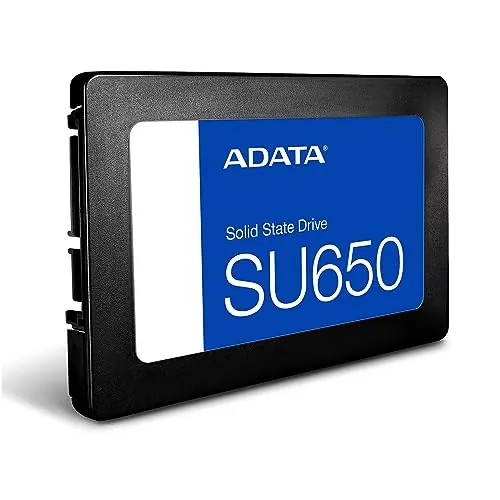
ADATA Ultimate SU650 1TB Internal SSD
- Up to 520MB/s read and 450MB/s write performance is specified for faster boots and file transfers than a traditional hard drive.
Comparison
The ADATA Ultimate SU650 1TB is an internal SATA SSD focused on quicker PC booting and file transfers, while the Buffalo HD-ADU3 Series is an external USB hard drive built around simple expansion and TV-friendly use. The ADATA leads overall for speed, value, and customer satisfaction; choose the Buffalo when an external, easy-to-connect HDD is the more suitable format.
#1 Overall Winner
Contender
Choose the ADATA Ultimate SU650 1TB for a compatible internal SATA PC upgrade and better speed-oriented results. Choose the Buffalo HD-ADU3 Series when you want an external drive for simple USB storage expansion or TV recording. The best choice depends primarily on internal SSD performance versus external HDD convenience.
Overall winner
Depends on your needs
| Feature | ADATA Ultimate SU650 1TB Internal SSD | Buffalo HD-ADU3 Series External HDD | Winner |
|---|---|---|---|
| Storage type | Internal 2.5-inch SATA SSD | External USB HDD | Depends |
| Overall assessment | Higher overall score | Lower overall score | ADATA Ultimate SU650 1TB Internal SSD |
| Specified transfer performance | Up to 520MB/s read, 450MB/s write | No equivalent specification provided | ADATA Ultimate SU650 1TB Internal SSD |
| Installation approach | Internal SATA installation | External USB connection | Depends |
| Setup | Higher setup score; cloning and migration software available | High setup score; reviews praise TV connection | ADATA Ultimate SU650 1TB Internal SSD |
| TV recording suitability | Not highlighted in supplied data | Positively reviewed for TV recording | Buffalo HD-ADU3 Series External HDD |
| Portability | 30g internal drive | Compact external design | ADATA Ultimate SU650 1TB Internal SSD |
| Power arrangement | Low-power SSD design | One reviewed configuration requires a power adaptor | ADATA Ultimate SU650 1TB Internal SSD |
| Customer rating | 4.8/5 from 5,647 reviews | 4.3/5 from 33,929 reviews | ADATA Ultimate SU650 1TB Internal SSD |
| Brand trust | Lower brand-trust score | Higher brand-trust score | Buffalo HD-ADU3 Series External HDD |
| Value | Higher value score | Strong value score | ADATA Ultimate SU650 1TB Internal SSD |
| Warranty support | Moderate support score | Moderate support score | Tie |
The ADATA delivers the stronger performance case. It is a SATA SSD with stated performance up to 520MB/s read and 450MB/s write, and reviewers report faster booting and noticeably quicker movement of data than spinning drives. The Buffalo performs adequately for external storage and TV recording, with one reviewer calling it relatively fast, but another says transfers are slower than rival products. For responsiveness and regular PC storage activity, the ADATA is the more capable option; for basic external capacity, the Buffalo remains suitable.
ADATA clearly leads for speed. Its specified maximum read/write performance is up to 520MB/s and 450MB/s, its speed score is higher, and reviews report faster startup and file movement. The Buffalo's lower speed score aligns with a review that found its transfer speed relatively slow beside other products. Buffalo can still suit routine external storage, but it is not the choice for the faster system response associated with an SSD upgrade.
The ADATA has a small reliability-score advantage and many reviews report dependable operation after installation. However, one buyer reported severe overheating in connection with problematic Windows updates. Buffalo also has positive feedback for working as expected, but supplied reviews explicitly say durability remains unknown. Neither drive should be the only location for important data; maintain separate backups regardless of the chosen storage technology.
Both drives score well for usability. ADATA owners repeatedly describe installation, formatting, cloning, and system restoration as easy, although internal SATA fitting still requires opening a compatible machine. Buffalo reviews describe quick connection and setup, especially with TVs, making it the more immediately accessible option for users who want external storage. ADATA has a slight score advantage, but Buffalo has less physical installation friction.
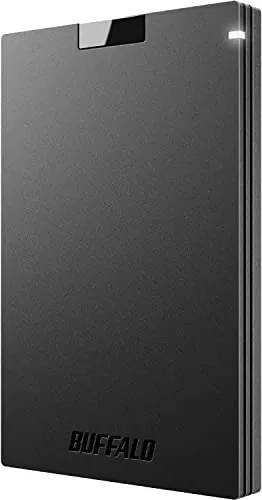
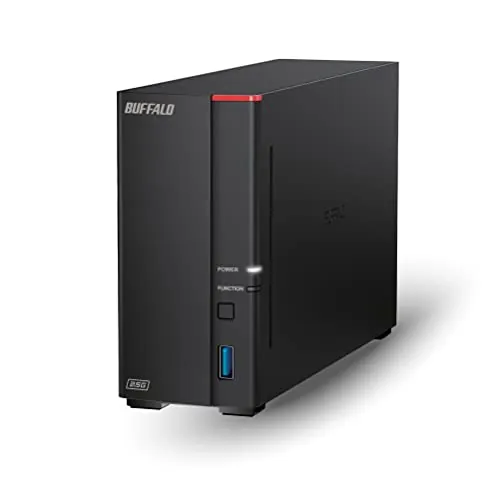
The Buffalo has the stronger design score and is described by buyers as compact enough to place behind a TV without drawing attention. Its external enclosure is practical for simple add-on storage. ADATA's design is functional rather than display-oriented: a slim 2.5-inch internal SSD that is extremely light and appropriate for a compatible SATA bay. Choose Buffalo for external placement convenience and ADATA for a compact internal installation.
Neither product has a leading build-quality score in the supplied data. The ADATA is a very light 30g SSD, and a review describes its case as plastic; another notes that the bottom lacks screw threads, potentially making certain installations trickier. The Buffalo has a slightly lower build-quality score, and its long-term durability is not established in the provided feedback. There is no decisive build-quality winner based on the available evidence.
ADATA has a modest durability-score advantage and its SSD construction offers vibration resistance, but the supplied feedback includes one overheating report and general concern around write wear for heavily written SSDs. Buffalo's durability score is lower, and one review says long-term durability is not yet known. The available information supports careful backup practice rather than a firm long-term durability claim for either product.
ADATA has the higher portability score and weighs only 30g, but as an internal drive it is not designed to be repeatedly connected and carried. Buffalo is an external product that reviews call compact and suitable for discreet placement, although a reviewed configuration requires a power adaptor. For moving between systems, Buffalo's external format is more practical; for minimal installed weight, ADATA leads.
ADATA's feature set is storage-performance focused: 3D NAND flash, a high-speed controller, LDPC error correction, vibration resistance, and downloadable SSD file-management and migration software. Buffalo's supplied details focus less on advanced drive technology and more on external usability through USB connectivity, compact placement, quiet operation, and TV-recording use. The ADATA has the higher feature score, while Buffalo's practical external format may be the more useful feature for users who do not want to install an internal drive.
ADATA provides downloadable SSD file-management and data-migration software, giving it a relevant app and utility experience for PC upgraders. Buffalo has no companion-app information in the supplied data, and its app-experience score is not available. Buyers planning to clone or migrate an existing PC installation have more provided software support with ADATA.
Both products are easy to set up according to their scores and reviews. ADATA buyers report easy installation, quick recognition by Windows, easy formatting, and successful system-image restoration; it also offers migration software. Buffalo buyers report that connection and TV setup are simple and allow immediate use. Buffalo is easier for an external plug-in scenario, while ADATA is strongly supported for internal replacement or upgrade work.
Compatibility is determined by form factor. The ADATA is specified for desktop use and needs a compatible 2.5-inch SATA installation. The Buffalo uses external USB 3.1 Gen 1/USB 3.0 and has review evidence of working with TVs for recording. The ADATA has a slightly higher compatibility score, but Buffalo is the broader practical choice when external USB or TV use is required.
The ADATA uses SATA 6Gb/s and is specified for desktop compatibility, making it appropriate only where an internal SATA connection is available. The Buffalo uses USB 3.1 Gen 1/USB 3.0 for external connection, which is more convenient for adding storage without disassembling a system. ADATA has the higher connectivity score, likely reflecting its internal PC-upgrade role and SATA performance, but Buffalo's USB format is more flexible for plug-in use and TV connection.
ADATA has the stronger power-efficiency score and is specified as a low-power SSD. Buffalo's lower score is consistent with the fact that one reviewed configuration requires a power adaptor. For an always-installed desktop upgrade with lower power use and no mechanical-drive noise, ADATA has the more favourable supplied evidence.
ADATA has the higher value score and strong review support for delivering a noticeable PC-storage upgrade at a reasonable cost. Its speed, ease of installation, 1TB capacity, and high customer rating strengthen that result. Buffalo also scores well on value, particularly in feedback about the price of a 4TB hard-drive configuration. The better value is use-dependent: ADATA for speed-focused internal PC storage and Buffalo for externally accessible, capacity-led storage.
Buffalo leads on the supplied brand-trust score. Its reviews refer to confidence in the brand alongside positive comments about simple TV use. ADATA's brand-trust score is lower, although the manufacturer positions itself as a storage specialist and customer feedback is highly favourable. The score difference favours Buffalo, while ADATA's review rating provides meaningful buyer confidence in this specific SSD.
ADATA is ahead on customer satisfaction, with a 4.8/5 average from 5,647 reviews and a higher satisfaction score. Praise repeatedly centres on speed, capacity, reliability, simple installation, and value. Buffalo has a substantially larger review count of 33,929 and a 4.3/5 average. Its buyers frequently praise compactness, quiet operation, price, and easy setup, while some mention slower transfers or unknown durability.
The supplied warranty-support scores are equal and moderate for both products. No detailed warranty terms, return policy, or after-sales process are provided, so there is no evidence-based support winner. Buyers should confirm the seller's current warranty coverage, return conditions, and regional support arrangements before purchase.
The ADATA Ultimate SU650 1TB is the best overall option in this comparison because it earns the higher overall score and leads in performance, speed, value, setup, portability, and customer satisfaction. Its specified SATA SSD performance and consistent feedback about quicker booting make it the better choice for a compatible internal desktop upgrade. It is especially suitable for everyday productivity, game storage, and replacing a slower spinning drive.
The Buffalo HD-ADU3 Series should not be dismissed simply because it scores lower. It is a different type of product: an external USB HDD with review-backed strengths in simple setup, compact placement, quiet operation, and TV recording use. Pick Buffalo when external convenience and capacity-oriented storage matter more than SSD speed. In either case, confirm compatibility and keep independent backups for important files.

Overall winner
Depends on your needs
The ADATA Ultimate SU650 1TB is the higher-scoring overall product, with stronger performance, speed, value, and customer-satisfaction results. It is the better fit for an internal PC upgrade. The Buffalo HD-ADU3 remains the more practical choice when external USB storage, TV recording use, or avoiding internal installation matters more than transfer speed.
Based on the supplied information, the ADATA is the faster option. It is a SATA SSD rated for up to 520MB/s reads and 450MB/s writes, and it has higher performance and speed scores. Buffalo feedback is generally positive, but one review specifically says its transfer speed can be slower than competing products.
Both score highly for setup, but the easier choice depends on the task. The Buffalo is external, and reviews say it connects and starts working easily for TV recording. The ADATA is also repeatedly described as easy to install and format, but it is an internal SATA drive and therefore requires access to a compatible computer.
The ADATA Ultimate SU650 1TB is the clearer desktop-upgrade choice because it is a 2.5-inch internal SATA SSD designed for desktop compatibility. Reviews report quicker boots, easy system restoration, and faster data movement than traditional drives. Confirm that the computer has a compatible SATA connection and suitable mounting arrangement before purchasing.
The Buffalo HD-ADU3 Series is better aligned with TV recording in the provided evidence. Reviews describe easy connection and setup with 4K TVs, compact placement behind a television, and quiet operation. The ADATA is an internal desktop SATA SSD, so it is not the similarly straightforward external TV-storage solution described by Buffalo buyers.
The ADATA has the higher value score and receives repeated praise for being a good-value, reliable way to improve a PC. The Buffalo also has a strong value score, with reviewers highlighting reasonable pricing for a 4TB configuration. Choose based on storage type and intended use, rather than price alone: internal speed versus external convenience and capacity options.
Both products have positive reliability scores, but neither is free of caveats. ADATA reviews are largely positive, though one review reports overheating after Windows-update problems. Buffalo feedback notes uncertain durability and one report of slower transfers. For important files, maintain separate backups regardless of which drive is selected.
The ADATA has stronger supplied customer-satisfaction scoring and a higher 4.8/5 average from 5,647 reviews. Its reviewers commonly praise speed, easy installation, capacity, and value. Buffalo has a much larger 33,929-review base and a 4.3/5 average, with recurring praise for compactness, quiet operation, and easy external setup.
Check our rankings and expert guides to find the best electronics products for your goals.