ElectronicsRanker
Menu
INLAND Professional 1TB vs Intel 660p 1TB SSD Comparison

Comparison

INLAND Professional 1TB vs Intel 660p 1TB SSD Comparison

The INLAND Professional 1TB and Intel 660p 1TB are internal SSDs aimed at affordable storage upgrades, but they serve different system connections and workloads. The Intel is the overall higher-scoring drive for compatible M.2 NVMe systems and read-heavy storage, while the Inland is the more suitable choice for 2.5-inch SATA upgrades and buyers who prioritise TLC NAND with higher stated endurance.

Expert tested Data driven Unbiased reviews Updated 2 August 2026
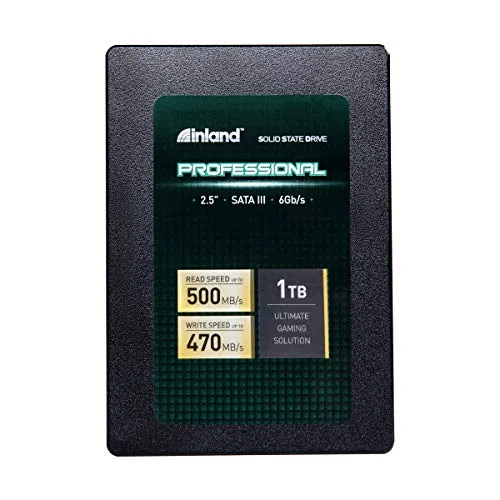
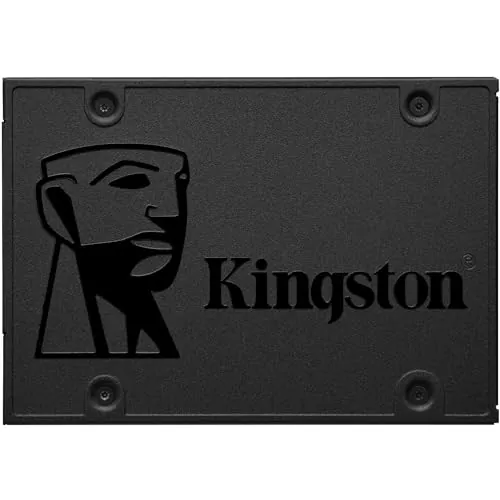
INLAND Professional 1TB SATA SSD

#1 Overall Winner

INLAND Professional 1TB SATA SSD

76/100
  • Uses a widely supported 2.5-inch SATA III form factor.
View review
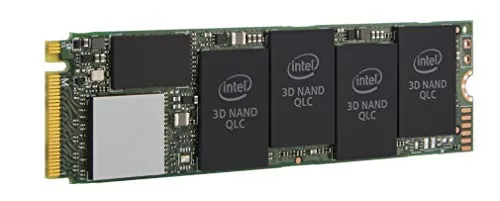
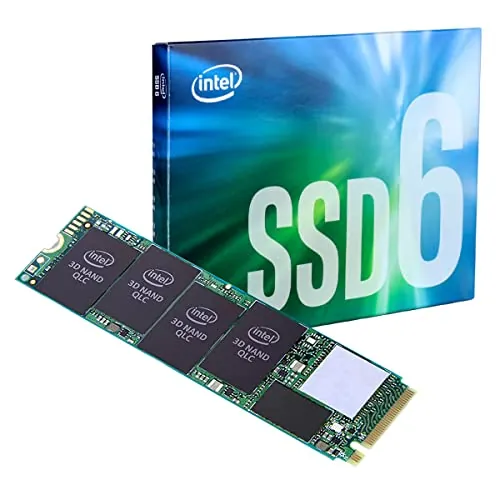
Intel 660p Series 1TB NVMe SSD

Contender

Intel 660p Series 1TB NVMe SSD

78/100
  • PCIe NVMe 3.0 x4 interface with rated sequential speeds up to 1,800 MB/s for both reads and writes.
View review

Quick verdict

Choose the Intel 660p for a compatible M.2 NVMe PC used for game libraries, general storage, and faster peak transfers. Choose the INLAND Professional for a 2.5-inch SATA laptop or desktop upgrade, especially if you prefer TLC NAND and have regular write demands. Confirm the physical slot and interface before buying.

Overall winner

Depends on your needs

At-a-glance comparison

Feature INLAND Professional 1TB SATA SSD Intel 660p Series 1TB NVMe SSD Winner
Form factor 2.5-inch, 7mm M.2 2280 Depends
Interface SATA III 6Gb/s PCIe NVMe 3.0 x4 Intel 660p Series 1TB NVMe SSD
Listed sequential read Up to 500 MB/s Up to 1,800 MB/s Intel 660p Series 1TB NVMe SSD
Listed sequential write Up to 470 MB/s Up to 1,800 MB/s Intel 660p Series 1TB NVMe SSD
NAND type 3D TLC NAND QLC 3D NAND INLAND Professional 1TB SATA SSD
Stated endurance Up to 660TBW Not stated in core product details INLAND Professional 1TB SATA SSD
Compatibility score Mixed SATA/Windows recognition feedback Strong, but requires M.2 NVMe support Intel 660p Series 1TB NVMe SSD
Setup SATA cabling required M.2 insertion and screw required Tie
Sustained heavy writes Better aligned with TLC and stated endurance Can slow substantially after SLC cache fills INLAND Professional 1TB SATA SSD
Gaming and read-heavy storage Suitable in SATA systems Higher-speed NVMe option Intel 660p Series 1TB NVMe SSD
Warranty and support 3-year limited parts and labor warranty Lower support score in supplied data INLAND Professional 1TB SATA SSD
Customer satisfaction 4.6/5 from 4,669 reviews 4.8/5 from 2,737 reviews Intel 660p Series 1TB NVMe SSD

Detailed comparison

Performance

The Intel 660p has the stronger peak-performance specification, with up to 1,800 MB/s sequential reads and writes versus up to 500 MB/s reads and 470 MB/s writes for the Inland. In compatible systems, that advantage is meaningful for short transfers and read-heavy storage such as applications and games. The Inland is still a major upgrade over a mechanical hard drive, but it is limited by SATA III bandwidth. For sustained high-volume writing, the comparison becomes less straightforward: Intel reviews describe substantial slowdowns after its cache fills, whereas Inland uses TLC NAND and lists higher stated endurance.

Speed

Intel has the higher peak read and write ratings, at up to 1,800 MB/s in each direction. Inland is rated up to 500 MB/s reads and 470 MB/s writes, which is consistent with SATA III-class storage. Real-world speed on either drive depends on the system hardware and configuration. Intel's review data adds an important caveat: large, sustained writes may drop sharply after its SLC cache is exhausted. Inland cannot match Intel's peak speed, but its TLC design is less specifically associated with that cache-exhaustion concern in the provided data.

Reliability

Reliability is a caution area for both products. Inland feedback includes many reports of successful use, including longer-term use, but also some early failures and cases where Windows 10 did not recognise the drive. Intel's reliability score is marginally higher, and its customer rating is stronger, but its reviews include concerns that QLC storage may not last as well under high write loads. Maintain backups regardless of which drive is selected, particularly for important operating-system or personal data.

INLAND Professional 1TB SATA SSD

Pros

  • Uses a widely supported 2.5-inch SATA III form factor.
  • Rated for up to 500 MB/s sequential reads and 470 MB/s sequential writes.
  • Uses 3D TLC NAND and has a stated endurance rating of up to 660TBW.
  • Easy-install feedback is common, especially for older laptop upgrades and boot-drive use.
  • Shock-resistant, silent solid-state design.
  • Includes a 3-year limited parts and labor warranty.

Cons

  • SATA III limits peak sequential throughput relative to the NVMe Intel drive.
  • Customer feedback includes some early-failure reports.
  • Windows 10 recognition and compatibility feedback is mixed.
  • Review feedback does not position it as a strong choice for frequent heavy-write workloads.
  • Brand-trust score is lower than the Intel drive's in the provided comparison data.
INLAND Professional 1TB SATA SSD

Intel 660p Series 1TB NVMe SSD

Pros

  • PCIe NVMe 3.0 x4 interface with rated sequential speeds up to 1,800 MB/s for both reads and writes.
  • Compact M.2 2280 format for compatible notebooks and desktops.
  • Strong feedback for game storage, general storage, and everyday boot-drive use.
  • Higher customer satisfaction, value, compatibility, and brand-trust scores in the provided data.
  • QLC NAND enables a high-capacity NVMe design aimed at value-conscious buyers.
  • Reviewers frequently describe installation as straightforward on compatible systems.

Cons

  • Requires an M.2 2280 PCIe/NVMe-compatible slot; it is not a replacement for a 2.5-inch SATA drive bay.
  • QLC NAND is less suited to sustained, write-intensive workloads than the Inland drive's TLC NAND.
  • Reviews report substantial write-speed drops after the SLC cache is exhausted.
  • Some users report heat concerns, while others say the drive remains cool under a heatsink.
  • Reliability feedback is mixed, with some concerns about long-term lifespan.
  • Warranty-support score is notably lower in the supplied scoring data.
Intel 660p Series 1TB NVMe SSD

Final verdict

The Intel 660p Series 1TB is the best overall option in this comparison for a modern, compatible M.2 NVMe system. It has the higher overall score, much higher listed peak sequential speeds, better customer-satisfaction results, and stronger value and compatibility scores. It is particularly well suited to general storage and game libraries where reads are a major part of the workload.

The INLAND Professional 1TB remains the better choice for many buyers. It is the practical fit for 2.5-inch SATA-only computers, and its TLC NAND, stated 660TBW endurance, and 3-year limited warranty are meaningful advantages over Intel's QLC-focused design for buyers concerned about sustained writes. Intel's cache-related slowdowns, heat comments, and QLC endurance concerns mean it is not automatically preferable for every workload. Compatibility should decide the purchase before speed figures do.

Overall winner

Depends on your needs

Frequently asked questions

Which is better overall: the INLAND Professional 1TB SATA SSD or Intel 660p 1TB NVMe SSD?

The Intel 660p is the higher overall-scoring option in the supplied data, helped by stronger value, compatibility, customer satisfaction, and NVMe connectivity results. It is the better choice only if a system supports an M.2 2280 PCIe NVMe drive and the workload is not dominated by sustained heavy writes. The Inland is more appropriate for a 2.5-inch SATA upgrade and offers TLC NAND with higher stated endurance.

Is the Intel 660p faster than the INLAND Professional 1TB SATA SSD?

On compatible PCIe NVMe hardware, the Intel 660p has much higher listed peak sequential throughput: up to 1,800 MB/s reads and writes, compared with up to 500 MB/s reads and 470 MB/s writes for the Inland SATA SSD. However, reviews note that the Intel's performance can decline substantially during large, frequent writes after its cache is exhausted.

Which SSD is better for an older laptop?

The Inland Professional is generally the more practical option for an older laptop that has a 2.5-inch SATA bay, because it uses the standard 2.5-inch SATA III format. The Intel 660p needs an M.2 2280 PCIe NVMe slot, so buyers should confirm that specific support before purchasing. Review feedback for the Inland often highlights older-laptop upgrades.

Which drive is better for gaming storage?

The Intel 660p is the stronger fit for gaming storage in a compatible NVMe system. Its higher peak read speed and review feedback around game libraries support read-heavy game loading use. It is less suitable for workloads involving frequent very large writes, since reviews describe major speed reductions once the SLC cache is full. The Inland remains suitable for SATA-only systems.

Which SSD is better for sustained write-heavy work?

Based on the available data, the Inland is the safer choice between these two for buyers prioritising NAND type and stated write endurance. It uses 3D TLC NAND and lists endurance up to 660TBW. Intel 660p reviews repeatedly caution that QLC NAND and cache exhaustion can make it a weaker choice for large, regular transfers, databases, or intensive scratch-disk work.

Are these SSDs equally easy to install?

Both receive strong setup scores and positive installation feedback, but the physical process differs. The Inland is a 2.5-inch SATA drive and requires SATA power and data connections. The Intel is inserted into an M.2 2280 PCIe slot and secured with a small screw. In either case, buyers should check the device's storage bay or slot before ordering.

Which SSD has better reliability and support coverage?

Neither drive has uniformly positive long-term feedback. Inland reviews include both successful long-term use and early failures, while Intel reviews also raise longevity concerns tied to QLC NAND. The Inland has a stated 3-year limited parts and labor warranty and a higher warranty-support score. Intel has a slightly higher reliability score and stronger brand-trust score in the supplied data.

Do I need a heatsink for the Intel 660p?

The provided data does not establish that a heatsink is mandatory. Some Intel 660p reviewers report that the drive stays cool under a heatsink, while others mention heat concerns. Whether one is useful depends on the host system, airflow, and workload. Check motherboard or laptop clearance and follow the device manufacturer's installation guidance before adding cooling hardware.

Related comparisons

Still not sure which one to choose?

Check our rankings and expert guides to find the best electronics products for your goals.

View all rankings